


I hired my first full time person this year and assumed picking HR software would take an afternoon. Read a few pricing pages, choose the clearest one, move on.
That is not how it went. Every platform advertised one number on the homepage, and the real monthly bill turned out to be something else entirely once payroll, time tracking and onboarding were switched on.
So I built my own cost comparison before committing to anything, because I could not find one written for a business my size.
Here is what I found, including the specific places where the advertised price and the actual invoice part ways.
What This Software Actually Does
Worth setting context, because HR software covers a wide spread depending on which platform you open.
At the core, most handle employee records, time off, onboarding paperwork and basic compliance. Some include full payroll with tax filing. Others sell payroll as a module you switch on later.
A few go further. Rippling also handles IT provisioning, so device and app access gets configured in the same flow as onboarding. Deel is built for hiring across borders, which is a different problem from domestic payroll.
Working out which category you need is most of the decision. A 12 person team in one country does not need what a company paying contractors across eight countries needs.
The Gap Between Advertised and Actual
This is the part I wanted nailed down first, and one example makes it concrete.
Rippling advertises around $8 per employee per month for its core platform. There is also a monthly base fee on top, and more importantly the core platform alone does not include payroll or HR. Those are separate modules.
Add payroll, benefits administration and HR features, and third party pricing analyses put the real figure closer to $21 to $29 per employee. For a 25 person company that is roughly $525 to $725 a month against an advertised $235.
Gusto works differently but has its own version of this. The entry Simple plan does not include time tracking, and adding it costs about $6 per employee per month, which is the same as the base per person fee. You can double your per head cost with one checkbox.
Implementation is the other line item nobody advertises. Gusto is typically free to modest, Rippling commonly runs into four figures, and larger enterprise platforms can run considerably higher depending on setup.
So before comparing two platforms, check whether payroll, time tracking and implementation are inside the number you are reading or waiting on your first invoice. I ran into exactly the same pattern of advertised price versus real cost when I dug into event ticketing platform fees, where the published figure also left out processing costs.
The Six Worth Considering
Gusto, best for payroll and benefits with predictable pricing.
BambooHR, best for teams hiring frequently, with payroll as a paid module.
Rippling, best for tying HR, payroll and IT together.
OnPay, best flat pricing without module creep.
Zoho People, best free option for very small teams.
Deel, best for hiring internationally.
Six rather than the usual sprawling list, because each of these owns a category the others do not. Adding more would mean repeating a category with a slightly different logo.
I left out the professional employer organizations like Justworks, which bundle HR consulting with the software and price accordingly. They are a different purchase decision rather than a competing product, and worth their own comparison. I also left out platforms that mainly duplicate what Gusto and OnPay already do at similar prices.
Side by Side
Tool | Best for | Starting price | Free tier | Payroll included |
|---|---|---|---|---|
Gusto | Predictable payroll pricing | $49/mo plus $6/person | Free until first payroll run | Yes |
BambooHR | Frequent hiring, onboarding | Quote only | No | Paid add on, US only |
Rippling | HR, payroll and IT together | $8/user plus base fee | No | Separate module |
OnPay | Flat pricing | $49/mo plus $6/person | One month trial | Yes |
Zoho People | Very small teams | Free under 5 staff | Yes | No |
Deel | International hiring | Quote only | No | Yes, via EOR |
Those are base plans only. Revisit the cost section before assuming the cheapest looking number stays cheapest at your headcount.
1. Gusto
Best for: small businesses wanting payroll, benefits and HR basics without surprises.
I walked through the signup flow while researching, and you can build an account and explore before paying, since billing begins at your first payroll run rather than on a countdown.
Strengths: predictable pricing, benefits administration included on every tier where competitors charge extra, and automatic tax filing.
Weaknesses: reporting is thin next to larger platforms, and the entry plan is more limited than people expect. Time tracking, advanced PTO management and performance reviews all sit on higher tiers.
Skip it if you need workforce planning or succession tools.
Price: Simple is $49 a month plus $6 per person. Plus is $80 plus $12. Premium is $180 plus $22. A ten person team on Simple lands near $109 a month before add ons. You can check the current tiers on an independent pricing breakdown since these figures move.
2. BambooHR
Best for: teams hiring often that want a polished system built around the employee lifecycle.
Strengths: consistently rated among the easiest platforms to navigate, with strong onboarding and document handling that scales as your processes formalize.
Weaknesses: pricing is quote only with nothing published. Payroll exists but as a paid add on limited to US employees, and time tracking and benefits administration are also separate line items rather than base features.
Skip it if you want one subscription and one invoice covering everything. Budget for modules from the start.
Price: no public rates. Third party reports put core pricing somewhere around $8 to $17 per employee monthly depending on tier, with payroll adding roughly $4 to $7 per employee on top. A fully loaded setup lands closer to $16 to $20 per employee.
3. Rippling
Best for: growing companies wanting HR, payroll and IT in one system.
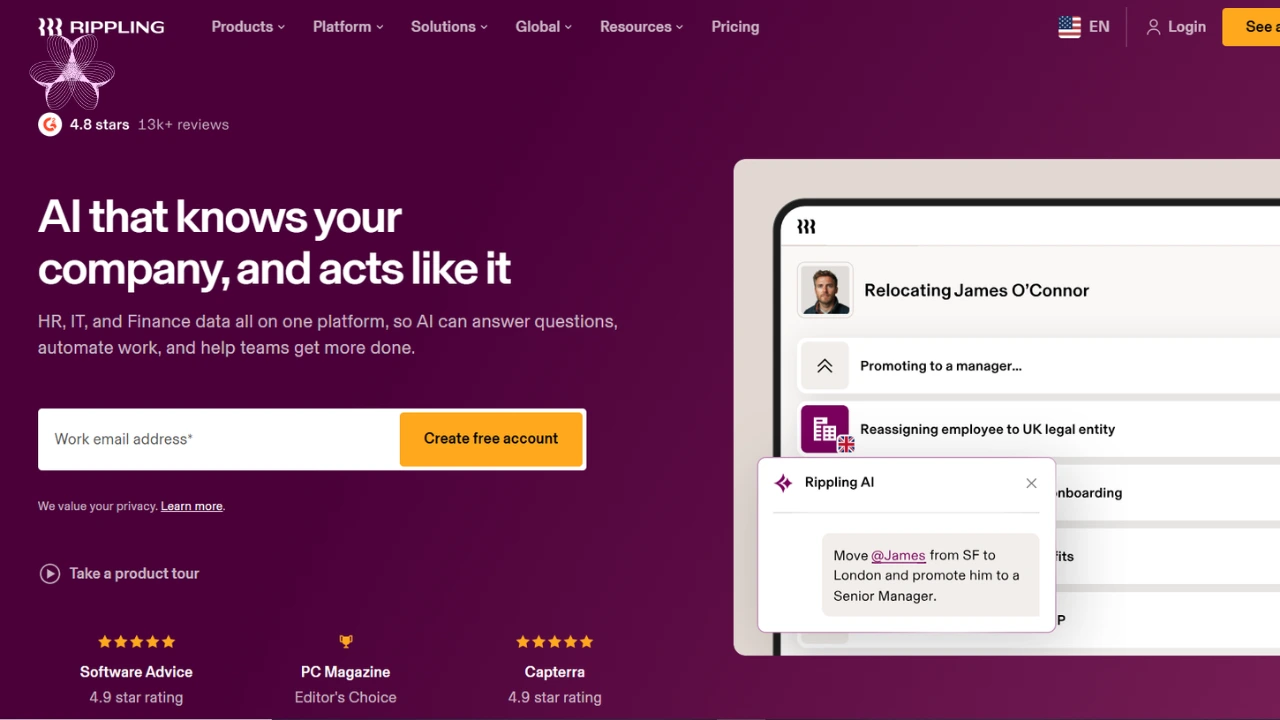 Strengths: it connects those three properly rather than linking separate tools. Onboard someone and their payroll, benefits and app access configure together. Workflow automation removes real admin work, and reviews are strong.
Weaknesses: setup commonly takes weeks rather than days, pricing gets complicated fast as modules stack, implementation fees are substantial, and it requires an annual contract with no monthly option.
Skip it if you are small with no IT provisioning needs. You would be buying complexity you cannot use yet.
Price: around $8 per user monthly for the core platform plus a base fee, with payroll and IT priced separately. Expect the realistic all in figure to be several times the headline.
4. OnPay
Best for: businesses wanting one price with no module surprises.
Strengths: a single flat rate covers payroll and HR basics together, multi state payroll is included rather than extra, and there are no separate implementation or migration fees.
Weaknesses: it gets labor intensive to maintain past roughly 100 employees, and reporting is basic next to full platforms.
Skip it if you expect to scale past a hundred people soon.
Price: flat $49 a month plus $6 per person for everyone, with a free trial month.
5. Zoho People
Best for: very small teams moving off spreadsheets.
Strengths: free for up to five employees, which is hard to argue with, and modular add ons let you expand only as needed. Per user cost stays low past the free tier.
Weaknesses: feature depth trails the bigger platforms, and the modular structure means the affordable headline climbs as you add pieces.
Skip it if you are past fifteen or twenty people, where the modular maths stops flattering it.
Worth being clear about what free means here. It covers employee records, time off and basic workflows for up to five people, which is enough to retire a spreadsheet. It does not cover payroll, so you still need something separate the moment you are paying salaries rather than tracking leave.
For a founder with two or three staff who mainly needs somewhere official for records and holiday requests, that is a reasonable place to start and costs nothing to try.
Price: free up to five employees, then a few dollars per user monthly with add ons priced separately.
6. Deel
Best for: hiring contractors or employees outside your own country.
Strengths: it handles international compliance, multi currency payments and Employer of Record hiring without a local entity, which would otherwise require specialist legal help.
Weaknesses: unnecessary if your whole team is domestic, and pricing varies by product with sales contact required.
Skip it if everyone you employ is in one country. Every other option here costs less for the same core needs.
One distinction worth understanding before you price it. Paying an overseas contractor is relatively cheap and simple. Employing someone overseas through an Employer of Record, where a local entity legally employs them on your behalf, costs substantially more per person because you are buying compliance in that country rather than software.
Several platforms on this list, including Gusto and BambooHR, offer Employer of Record hiring through a partnership rather than building it themselves. So if international employment is your main need, you are comparing the same underlying service wearing different labels, and it is worth asking each vendor who actually provides it.
Price: varies by product. Contractor payments, payroll and EOR services are priced separately. For context, EOR services generally run several hundred dollars per employee monthly across this market.
Four Questions to Ask Before Signing
If you get on a call with any of these vendors, these are the questions that surfaced the real numbers for me.
Is payroll included or a module? This single question separates platforms that look similarly priced. Ask for the per employee cost with payroll switched on, not the platform price.
What is included at my entry tier specifically? Time tracking, PTO policies and performance reviews sit on higher tiers more often than people expect. Ask them to confirm which of those you would actually get.
What are the one time costs? Implementation, data migration and state tax registration are all real charges that never appear on a pricing page. Ask for the total first year figure rather than the monthly one.
Am I locked into a term? Some platforms require an annual contract with no monthly option. That matters a great deal when you are unsure whether the tool fits.
Ask each vendor to price your actual headcount with your actual module list, in writing. Two platforms that looked identical to me on their homepages came back nearly double apart once I did that.
How I Would Decide
Very small and getting off spreadsheets, start with Zoho People's free tier or Gusto, where billing begins at your first payroll run rather than on signup.
Hiring frequently and want strong onboarding, BambooHR, but price the payroll and time tracking modules into your budget from day one rather than discovering them later.
Want HR, payroll and IT connected and can absorb a longer setup, Rippling is built for that specifically.
Want predictable billing above all, OnPay's flat model removes the guesswork the others create.
And whichever way you go, rebuild the number yourself at your actual headcount with the modules you will actually switch on. That single exercise is where two platforms that look similarly priced end up hundreds apart.
Frequently Asked Questions
What is the cheapest HR software for a small business?
Zoho People is free up to five employees. OnPay offers the lowest flat paid rate at $49 monthly plus $6 per person.
Does BambooHR include payroll?
Yes, but as a paid add on limited to US employees rather than a base feature, adding roughly $4 to $7 per employee.
Why is my quote higher than the advertised price?
Because payroll, time tracking, benefits administration and implementation are often separate modules rather than included features.
Which platform is best for hiring internationally?
Deel, which is built around global compliance, multi currency payments and Employer of Record hiring.
Is any HR software truly free?
Zoho People is free under five employees. Several scheduling and time tracking tools offer free tiers, though none include payroll.
How long does setup take?
Days for simpler payroll platforms, and commonly several weeks for Rippling given how much it configures.
Does Gusto include time tracking?
Not on the entry plan. It costs about $6 per employee monthly extra, or comes bundled on higher tiers.
What I Chose
I went with Gusto, mainly because it was the one platform where the homepage number matched what I actually paid once payroll was running.
That will not stay true forever. What suits three people rarely suits twenty five, and the honest advice is to revisit this once your headcount changes materially rather than treating it as settled.
If you take one thing from this, make it the arithmetic. Rebuild every quote at your real headcount, with every module you will actually switch on, before you compare anything to anything.