


A friend who just moved from Windows to a MacBook asked me for SEO software recommendations. She said "for Mac" like it was its own category, and that phrasing is what sent me down this rabbit hole.
Here is what almost every list on this topic skips. Most software marketed as SEO software for Mac is ordinary web based SEO software that happens to open in a browser. It runs identically on a Mac, a Windows machine, or a Chromebook. Calling it Mac software is a stretch.
There is a much smaller group of tools that actually install on macOS and run on your own machine. That distinction changes what you should buy, and it is worth understanding before you spend anything.
So before the list, let me explain what I tested and what the difference actually costs you.
How I Tested This
I run my own sites from a MacBook, so Search Console was already connected to two live domains before I started.
For this piece I installed Screaming Frog SEO Spider directly on the Mac and crawled one of my own sites with it. I also opened trial accounts on SE Ranking and Mangools to compare the real setup experience rather than the marketing pages.
I am not an agency owner. I manage my own content and software sites and need these tools to work without swallowing an afternoon. That is the perspective here.
What "For Mac" Really Means
Most SEO platforms are entirely cloud based. You sign in through a browser and the work happens on their servers, not your laptop.
So yes, they work on a Mac. In exactly the way that any website works on a Mac. Nothing about them is built for macOS.
The genuine native category is small. Screaming Frog is the clearest example, and I confirmed it directly. It installs as a real application, not a bookmark.
When I crawled one of my sites with it, roughly 340 pages finished in a little under four minutes on an M series MacBook, entirely locally. My site data never went to anyone's server first. That is a different experience from opening another tab.
So the question worth asking is not which tool is best for Mac. It is whether you want something in the cloud that follows you across devices, or something installed locally that crawls straight from your machine. Both are reasonable, and they solve different problems.
If you are kitting out a new Mac generally, I went through the same exercise with PDF editors for Mac, where the native versus browser split matters even more.
The Short List
Cloud platforms that work fine on a Mac
Semrush, the broadest suite, from about $140 a month.
Ahrefs, strongest for backlinks and content research, from about $129 a month.
SE Ranking, best full platform on a budget, from about $65 a month.
Serpstat, useful if you run SEO and paid ads together, from about $59 a month.
Mangools, simplest for beginners, from about $29 a month.
Tools that actually install on macOS
Screaming Frog SEO Spider, the native crawler, free to 500 URLs.
Search Console, browser based but free and essential.
1. Semrush
Best for: teams that want one platform covering almost everything.
Semrush handles keyword tracking, competitor analysis, site audits, backlink monitoring and paid search research in a single dashboard. It runs in a browser, so the Mac experience is the same as anywhere.
What works: the breadth is unmatched, covering organic and paid together, with strong competitor research and a large dataset.
What does not: it can overwhelm a beginner, and the price climbs fast beyond basic tracking.
Skip it if you run one small site and only need keyword tracking. You would be paying for capability you never open.
Price: Semrush restructured its plans, and entry now sits around $139.95 a month, dropping to roughly $117 a month on annual billing. Higher tiers run considerably more. There is a limited free plan and a short trial if you want to look around first.
2. Ahrefs
Best for: link building and content research.
Ahrefs is respected mainly for backlink data and for working out what is actually driving rankings on a given page.
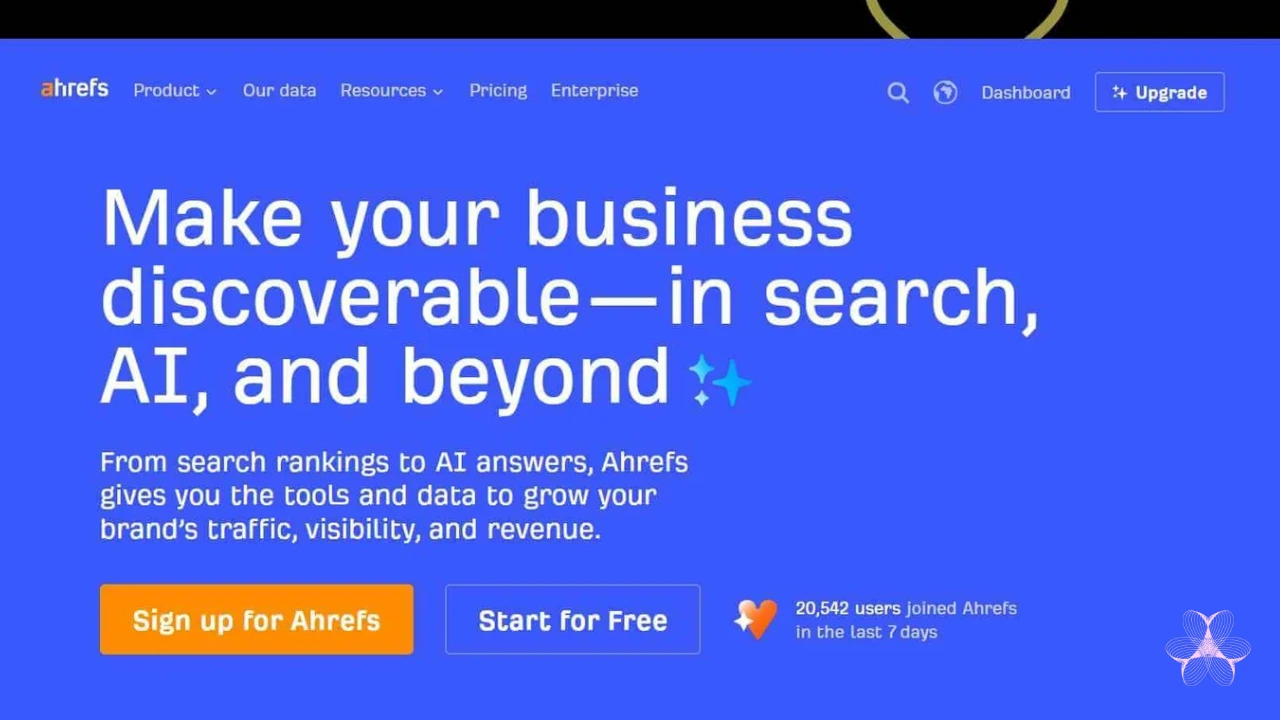 What works: backlink data widely regarded as the most accurate available, strong content research, and a clean interface.
What does not: no meaningful free trial, so you commit before testing properly, and credit based limits feel less predictable than flat pricing.
Skip it if backlinks are not your focus. If you mostly need technical and on page work, you are paying for the part you will use least.
Price: the Lite plan starts around $129 a month, rising through Standard and Advanced as credits and project limits increase.
3. SE Ranking
Best for: getting a full toolset without the flagship price.
It covers site audits, rank tracking, keyword research, competitor analysis and automated reporting.
I connected a trial to one of my own domains and the first audit surfaced 23 issues within about ten minutes, mostly missing image alt text plus a few slow pages. If you want to understand what's actually causing slow pages in the first place, we broke down the 13 technologies that made the web faster, from caching to Core Web Vitals. Nothing revelatory, but all of it real and fixable.
What works: noticeably cheaper than the big two for similar core functionality, with white label reporting that matters if you handle clients.
What does not: backlink depth trails Ahrefs, and there is a smaller ecosystem of integrations around it.
Skip it if you specifically need the deepest link index available.
Price: entry plans start around $65 a month, with agency tiers above that.
4. Serpstat
Best for: running organic and paid research in one place.
It combines competitor analysis, keyword research across both SEO and ads, rank tracking and backlink monitoring.
What works: useful in a real way if one team handles both channels, with solid site audit and error detection at a fair price.
What does not: the interface feels a step behind the bigger suites, and keyword coverage thins out in smaller markets.
Skip it if you have no paid search component, since a focused SEO tool will feel cleaner.
Price: around $59 a month at entry, though check the current page since these tiers shift.
5. Mangools
Best for: solo site owners who want something they can learn in an afternoon.
It bundles keyword research, backlink analysis, rank tracking and SERP analysis behind a far simpler interface than the enterprise tools.
I searched one of my own target terms during the trial and KWFinder returned difficulty and volume almost instantly, with none of the loading lag I hit elsewhere that day.
What works: easy to learn with no SEO background, uncluttered, and cheaper than the full suites.
What does not: limited depth for advanced technical work, and not built for large sites.
Skip it if you work at agency scale. You will outgrow it.
Price: from around $29 a month, the cheapest full suite here.
6. Screaming Frog SEO Spider
Best for: anyone who specifically wants a real Mac application.
This is the one properly native tool on the list and the one I tested hardest. It installs on your Mac and crawls your site from your own machine rather than through someone's dashboard.
What works: it runs locally, the free tier is useful rather than decorative, and the crawl data is extremely detailed. It flags broken links, redirect chains, duplicate content and title and description problems as it goes.
What does not: the interface is technical rather than pretty, and it does one job. No keyword research, no content planning.
Skip it if you want strategy tools. This is a technical crawler and nothing else.
Price: free for crawls up to 500 URLs with no time limit, since it is not a trial. A licence removing that cap costs £199 a year, which currently converts to roughly $279 after a currency adjustment in 2025. Their official pricing comparison lays out exactly what the free version withholds.
7. Search Console
Best for: free data straight from the source.
Whatever else you use, use this too. Mine has been connected for years and it is still the first place I look when a page loses traffic, because it shows how Google actually sees that page rather than a third party estimate.
What works: free, direct from Google, and the fastest way to catch indexing problems.
What does not: no competitor research, no keyword tools, and the data lags by a few days.
Skip it if you expect it to replace a full suite. It supplements one.
Price: free, with no paid tier.
What Running Locally Actually Costs You
Since the native versus cloud split is the real decision here, it is worth being clear that local is not automatically better.
A local crawler uses your machine's memory and storage. On a large site that matters, and a crawl of a hundred thousand pages will make your laptop work hard while you are trying to do other things.
If your Mac starts acting sluggish after heavy local crawls like this, it is worth knowing the basic troubleshooting steps, our guide on how to reset PRAM on Mac covers the quickest fix for performance issues before you assume something is actually broken.
Cloud tools do that work somewhere else and hand you the result.
Local tools also do not sync. Your crawl history lives on that Mac. Change laptops and you start again, whereas a cloud account follows you.
And scheduled monitoring is awkward locally, since your machine has to be awake and running for anything scheduled to happen.
What you gain is speed, privacy and no per project limits. Nothing leaves your machine, nothing counts against a monthly credit allowance, and the crawl starts the instant you press go.
For me the split ended up simple. Technical crawls happen locally because they are fast and I do them often. Tracking and research happen in the cloud because I want that history available wherever I am working.
Choosing Between Them
Here is the short version after all of it.
Want one platform covering everything and can absorb the cost, take Semrush.
Care most about backlinks and content research, take Ahrefs.
Want full functionality on a budget, SE Ranking or Serpstat. Both surfaced real issues on my own site within minutes of connecting.
Want something actually installed on your Mac, Screaming Frog is the only option here that qualifies, and it handled 340 pages in under four minutes.
Whatever you pick, connect Search Console alongside it. It is free and provides data none of the paid tools fully replicate.
Frequently Asked Questions
Is any SEO software truly native to Mac?
Screaming Frog SEO Spider is. It installs as a macOS application and crawls locally rather than through the cloud.
Do I need different SEO tools because I use a Mac?
No. Almost every major platform is cloud based and behaves identically across Mac, Windows and Chromebook.
What is the best free SEO tool for Mac?
Search Console, for direct Google data. Screaming Frog's free tier covers crawls up to 500 URLs.
Which option is cheapest?
Mangools at around $29 a month, with Search Console and Screaming Frog free alongside it.
Which is easiest for a beginner?
Mangools. It returned usable results fastest and needs the least prior knowledge.
Do I need a full suite or just a crawler?
A suite if you want keyword and competitor research. A crawler alone is enough for purely technical audits.
Does Screaming Frog work on Apple Silicon?
Yes. It ran without issue on an M series machine, completing a 340 page crawl in under four minutes.
What My Friend Actually Did
She started with Search Console, since it costs nothing and took no setup, then added Mangools once she wanted keyword research without a steep curve or a large bill.
The wider point is that "for Mac" barely matters for most of these. What matters is whether you want cloud convenience or a local crawler, and that choice, along with your budget, should decide this far more than which laptop you happen to own.
One practical note before you commit to anything. Prices on this category move constantly, and several of these platforms restructured their tiers this year. Treat the numbers above as a starting point and check the current page before you enter card details.