


AI text effects are a fast way to turn plain words into styled lettering. You type your word or headline, describe the look you want, such as "melting chocolate," "neon glass" or "chalkboard," and an AI tool applies colors, textures and lighting to the letters in seconds.
Tools like Adobe Express, Canva, Fotor, Dreamina and Ideogram all offer some version of it, often with a free tier.
The catch is that a striking effect is only useful if people can still read the words. So the skill is not just generating effects. It is choosing the right one and keeping it readable.
Here is how I would do it, start to finish.
Why Lettering Does So Much Work in a Design
In my view, typography is often the first thing people notice. A bold headline on a poster, a title on a social post or the name on a product label sets the mood before anyone reads a single sentence.
Think about a small bakery promoting a weekend sale. A plain "50% Off Cakes" headline tells people the offer. The same words in frosting-style lettering tell them the offer and make them hungry. That is the difference good text effects make.
Good typography also guides the eye. When the main message is clearly the biggest, boldest thing on the page, people understand the design faster. Decorative effects should strengthen that hierarchy, not fight it.
Doing this by hand used to mean hours in Photoshop or Illustrator, building layer styles, masks and textures. AI text effects compress that into a prompt, which is why they have become so popular for social media, thumbnails and quick marketing graphics.
How AI Text Effects Actually Work
Most tools follow the same simple flow:
You type the text, usually a short word or headline.
You describe the style, like "made of green leaves" or "shiny gold balloon."
The AI generates the effect on your letters, usually as several variations.
You pick one, then place it in your design or download it.
Behind the scenes, image generation models redraw your letters using the textures and lighting you described, while trying to keep the shapes of the letters recognizable. That last part is the hard bit, which is why some results look amazing and others turn your words into an unreadable blob.
If you want a quick tool to start experimenting, there are tools built specifically to create text effects with AI from a short prompt. I would still compare a couple of options, since each tool handles letter shapes a little differently.
5 AI Text Effect Tools Worth Trying
Here are the tools I would try first. Each one does text effects a little differently, so it depends on where your design will end up.
1. Adobe Express (Firefly text effects). Adobe's generative text effects are built into Adobe Express and powered by its Firefly models. The free plan includes free daily generations for images and text effects, and paid plans add monthly generative credits.
Adobe says its Firefly features are designed to be commercially safe, which matters if you are making something for a client or a product.
2. Canva (Magic Morph). Canva's AI text effect tool is called Magic Morph. You describe a texture or theme, like "flower-filled" or "jewel-covered," and it applies it to your text. The big advantage is that the effect sits right inside your Canva design, next to your templates and brand colors.
3. Fotor AI Text Effect. Fotor lets you type a description and turns it into fancy text with styles like bread, moss, glitch or 3D. It is simple and quick for social media graphics.
4. Dreamina (by CapCut). Dreamina has an AI text effects option inside its canvas. You add text with the T tool, describe the look, and it generates four options you can preview, regenerate or tweak. It is handy if you already make video content with CapCut.
5. Ideogram. Ideogram is a general AI image generator, but it is well known for handling text inside images better than many others. It is a good choice when you want a full poster or scene with the words built in, rather than just styled letters on their own.
My suggestion: start with whichever tool you already use for design. If you live in Canva, try Magic Morph first. If your work is commercial and licensing matters, Adobe Express is the safer place to start.
A Simple Prompt Formula for Better Text Effects
Most bad results come from vague prompts. "Make it look cool" gives the AI nothing to work with. I use a four-part formula instead.
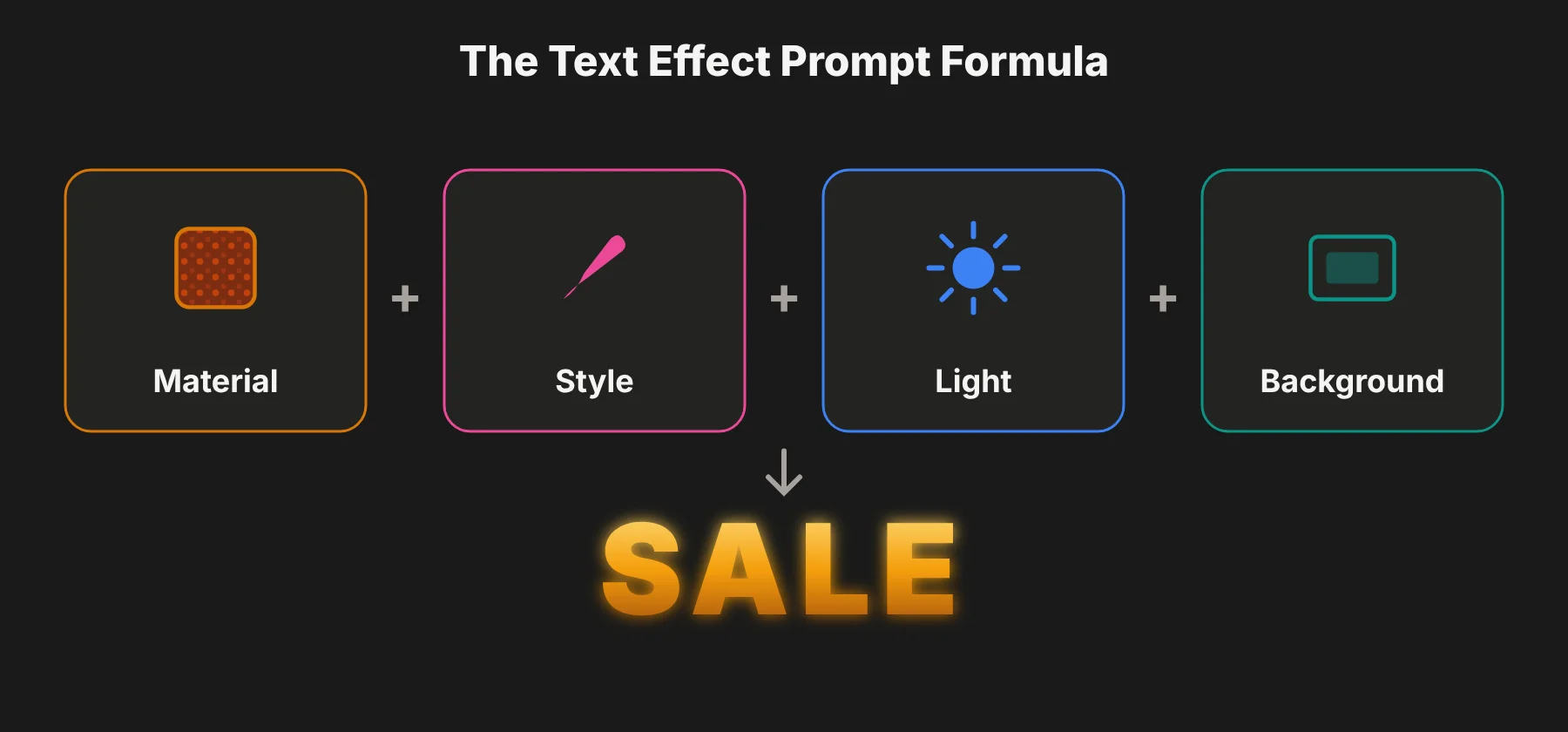 1. The material. What are the letters made of? Chocolate, neon tubes, leaves, gold foil, ice, denim, wood.
2. The style. What feel do you want? Playful, elegant, retro, futuristic, hand-drawn.
3. The lighting and color. Warm sunset light, cool blue tones, bright pastel, high contrast.
4. The background. Plain, transparent or simple. A busy background usually hurts readability.
Put together, a prompt might look like this:
"Letters made of glossy melting chocolate, playful style, warm lighting, plain cream background"
"Bright pink neon tube letters, retro 80s style, glowing against a dark brick wall"
"Letters made of fresh green leaves and small flowers, soft natural light, white background"
Short words work best. One to three words usually come out clean. Long sentences often get distorted or misspelled.
Where AI Text Effects Work Best
I find AI lettering most useful in five places.
Social Media Graphics
You have about a second to catch someone's eye in a busy feed. A bold, styled headline with strong contrast helps. A fitness coach might use energetic, fiery lettering for a new program, while a travel creator might choose soft, sunny letters for a weekend getaway post.
Keep the headline short. Effects look best when the words stay readable on a small phone screen.
Posters and Event Promotions
A concert, festival or workshop poster needs a headline that sets the mood instantly. AI is great for exploring directions before you commit, for example comparing a metallic look for a tech event with a playful, bubbly look for a kids' workshop.
Once you pick a style, keep the supporting details, like date, time and place, plain and easy to find.
YouTube Thumbnails and Video Titles
Thumbnails need to be understood in a glance, at a tiny size. Styled text can make the topic clearer and set the tone. A cooking channel might use bright, friendly lettering, while a documentary channel might choose something quieter.
Do not cover the whole image with decorative text. A short headline, one clear focal point and some empty space usually win.
Branding and Packaging
Distinctive lettering on a label or product title can help people recognize a brand. A handmade candle shop might explore soft, natural textures, while a gaming accessory brand might want sharp, futuristic letters.
But be careful here. An AI effect is not automatically a good logo. Logos need to work at every size, in one color and for years. In most cases, I would use AI lettering for inspiration, then have a designer rebuild the final version as editable vector artwork.
Seasonal and Sale Campaigns
Text effects shine for limited-time campaigns: frosty letters for winter, sunny letters for summer, spooky letters for Halloween. Because these designs are short-lived, you can be bolder with the effect.
The Thumbnail Test: Keeping Your Text Readable
This is the step most guides skip, and it is the one I care about most.
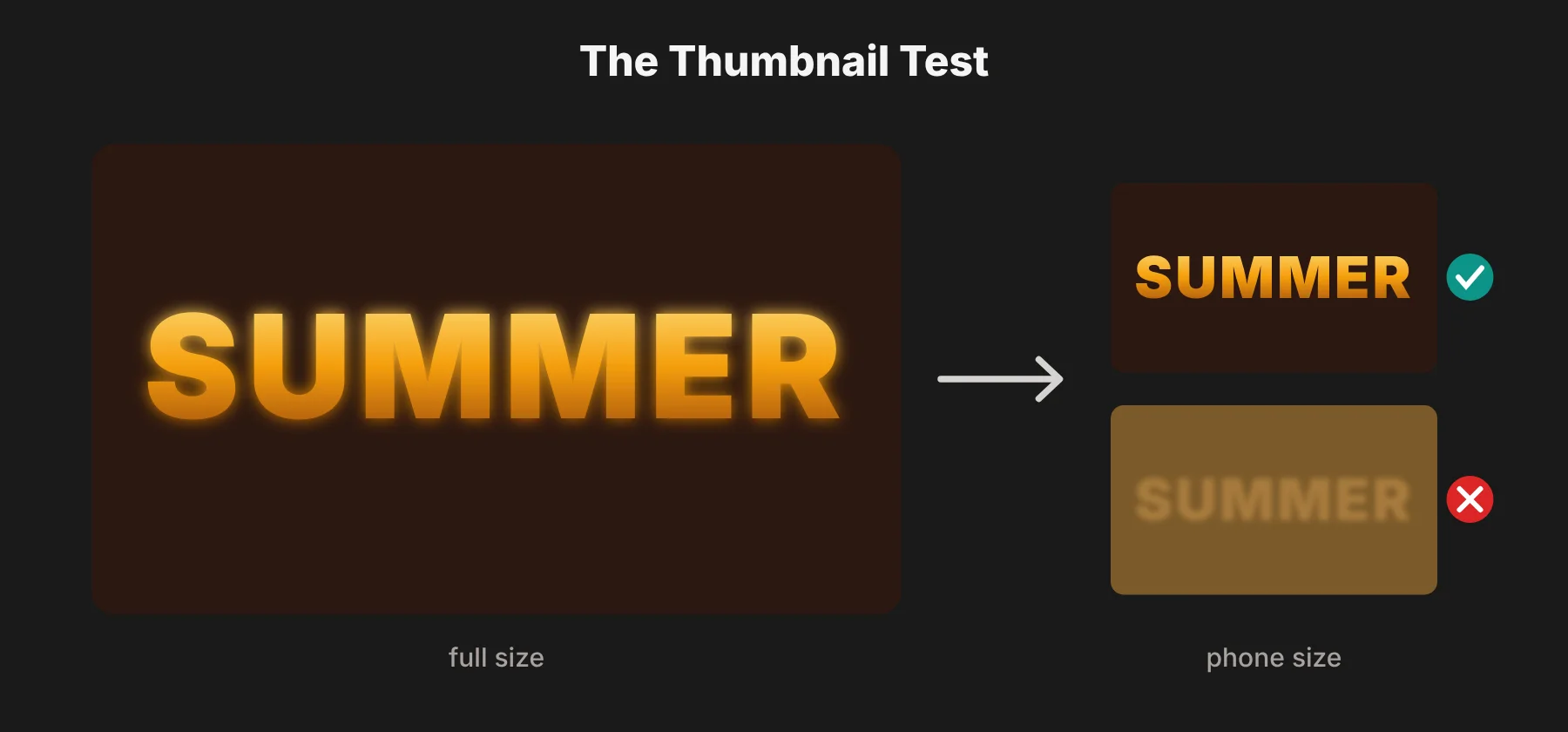 A text effect that looks stunning at full size on your monitor can turn into mush on a phone, in a feed or in a YouTube thumbnail. So before you use any AI lettering, I would run three quick checks:
1. Shrink it. Zoom out until the design is about the size of a phone thumbnail. Can you still read every letter?
2. Squint at it. Blur your eyes slightly. If the word disappears into the background, the contrast is too low.
3. Spell-check it by eye. AI sometimes adds, drops or warps letters. Read the word slowly, one letter at a time.
If it fails any of these, try a simpler material, a plainer background or a shorter word. Readability always wins over decoration.
Common Mistakes With AI Text Effects
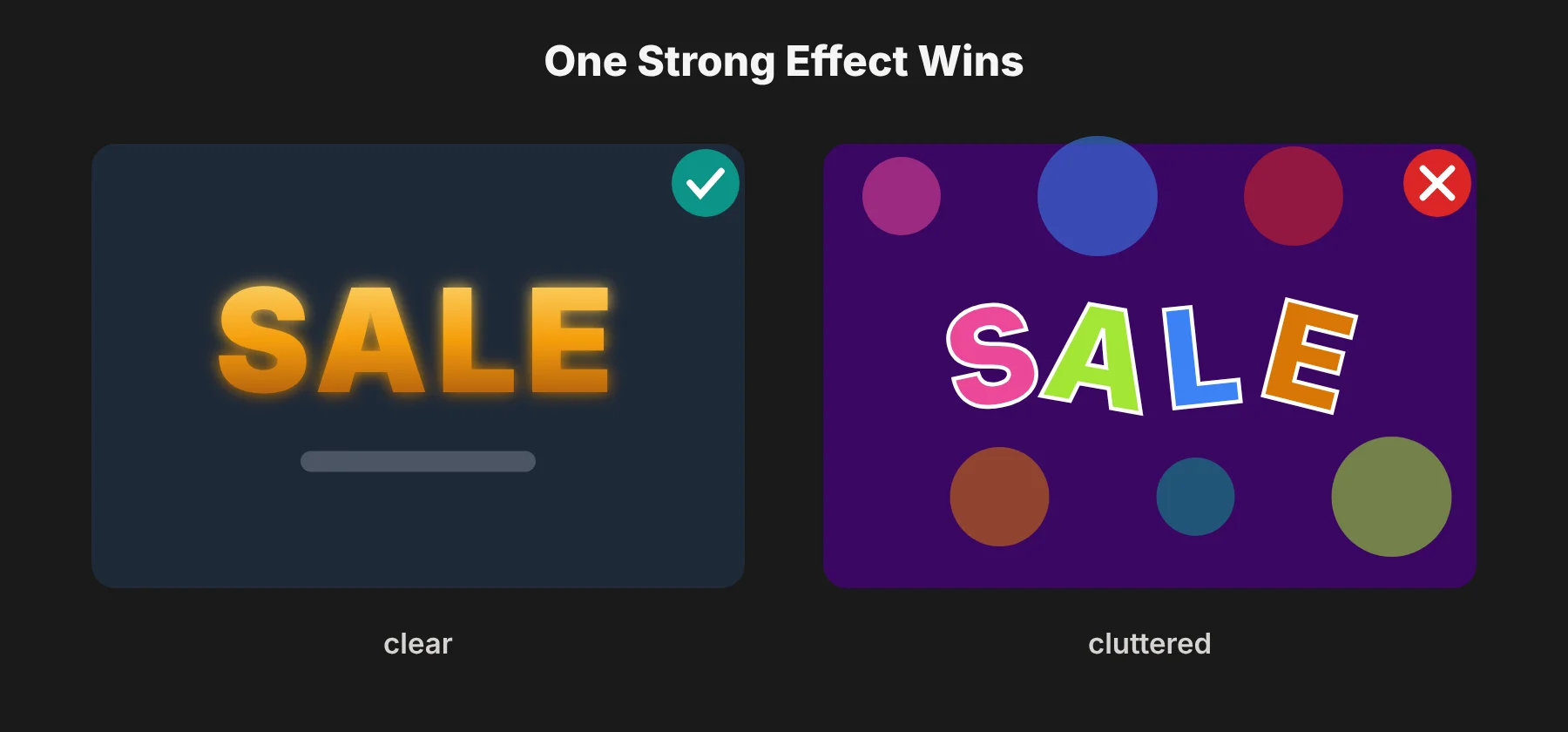 Stacking too many effects. Fancy lettering, a busy background, several fonts and extra illustrations all fighting for attention make the message hard to follow. I would use one strong effect and keep everything else calm.
Choosing an effect because it looks impressive. A playful bubble effect is great for a kids' party but wrong for a formal business presentation. Match the effect to the audience.
Forgetting where it will be seen. Always check the design in its final format and size, especially for mobile ads and thumbnails.
Inconsistent styles across a campaign. If you are making a series of posts, keep a related look across them. Consistency helps people recognize your content.
Using long text. AI handles short words far better than sentences. Put long details in a plain font.
Not checking spelling. AI can quietly misspell your word. Always read it letter by letter before you publish.
Can You Use AI Text Effects Commercially?
This depends entirely on the tool and your plan, so it is worth checking before you put AI lettering on a product, an ad or a client project.
According to Adobe's Express plans page, outputs from its generative AI features can generally be used commercially, except features marked as beta for personal use, and Adobe says its Firefly models are designed to be commercially safe. Other tools have their own rules, and some free tiers limit commercial use or add watermarks.
Three things I would always check:
The tool's terms of use, especially for free plans
Whether outputs are watermarked on your plan
Trademark risk, if you plan to use the lettering as a logo or brand name
And remember that AI output is a starting point, not a finished product. I wrote about the same idea in a coding context in my guide to AI in software development: AI is fast, but a human still needs to review and refine what it makes.
My Step-by-Step Workflow
If you want a simple process to follow, this is the one I would use:
Decide the job. Is the text announcing, selling, explaining or adding personality?
Pick the mood. Playful, elegant, energetic or professional.
Write a four-part prompt. Material, style, lighting and color, background.
Generate a few variations and pick the most readable, not just the flashiest.
Run the thumbnail test. Shrink it, squint at it, read it letter by letter.
Build a calm layout around it. Plenty of space, simple supporting text.
Check the license before any commercial use.
Save your prompt, so you can reuse the style across a campaign.
AI Text Effects: Questions People Ask
What are AI text effects?
AI text effects are styles applied to words by an AI tool, based on a written description. You type your text, describe a look such as "neon" or "made of leaves," and the tool generates styled lettering in that look.
Are AI text effects free?
Many tools offer free options. Adobe Express includes free daily generations on its free plan. Canva, Fotor and Dreamina also let you sign up for free, though how many AI generations you get without paying varies and can change. Paid plans usually give more generations, higher quality and fewer limits.
Which is the best AI text effect generator?
It depends on your workflow. Canva's Magic Morph is easiest if you already design in Canva. Adobe Express is a strong choice for commercial work. Ideogram is good when you want full images with readable text built in.
Can I use AI text effects in a logo?
You can use them for inspiration, but I would not use raw AI output as a final logo. Logos need to work at every size and in one color. Have the final version rebuilt as clean vector artwork.
Why does AI misspell my text?
Image models draw letters as shapes, not as typed characters, so they sometimes warp or swap letters. Use short words, simple prompts and always proofread the result.
Do AI text effects work for YouTube thumbnails?
Yes, they work well if you keep the text to a few words, use strong contrast and test it at thumbnail size before publishing.