


My Akool review in one line: it puts an AI image generator, an AI video generator and several top models in one account. It is a good fit for marketers, creators and small teams who want one place for images and video. It lets you pick from models like Seedance, Kling, Wan, Sora and Veo instead of paying for each one separately.
It also adds image to video, face swap, avatars, voice tools and video translation. Paid plans start at $12 a month per seat on yearly billing, and there is a free plan to try first.
It is less suited to anyone who needs footage viewers must trust as real. Think news, documentaries or regulated claims.
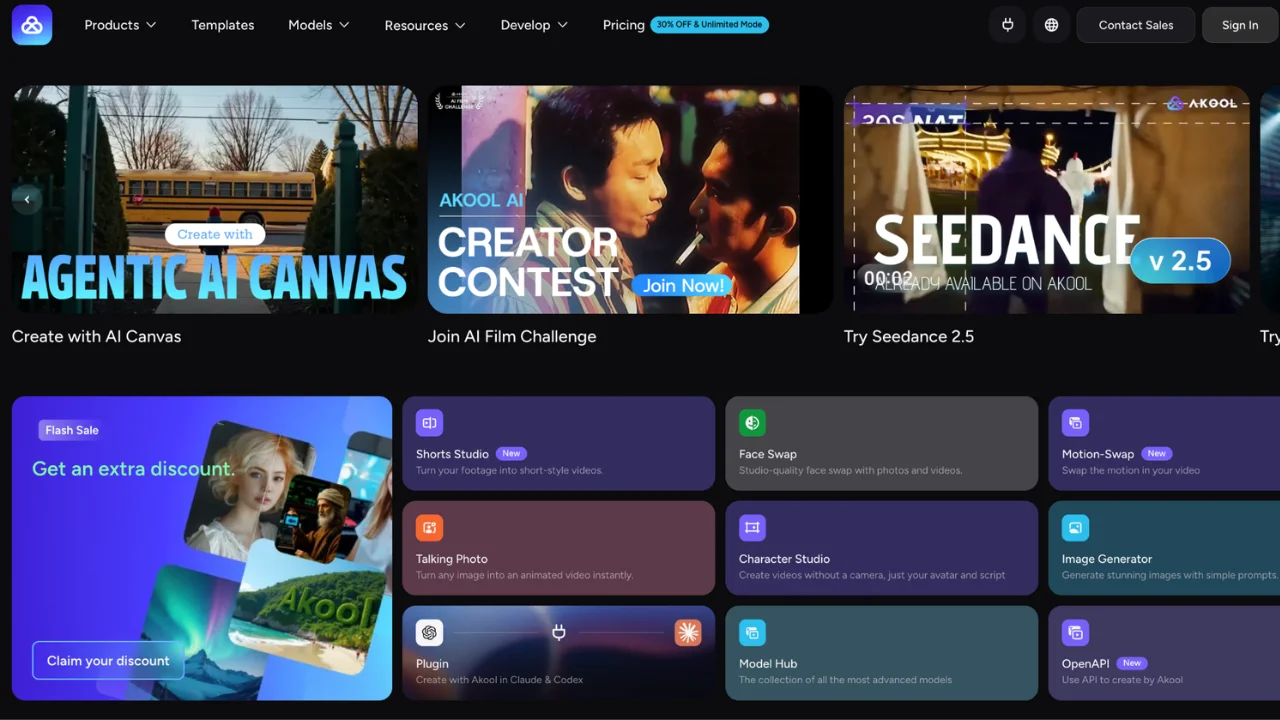 Akool's homepage puts its newest tools and models up front.
Most tool reviews open with a long feature list. I would rather start with a plain question: what do you need to make this month?
A lot of people want to know if one tool can handle pictures and video without a big budget. That is the idea behind Akool. Before you pay, it helps to know what is inside, who it suits and where it falls short.
For this review, I went through Akool's live tools page and pricing page in my own browser on November 6, 2026. I also read its terms of service and what 563 users say on G2.
I have not run long-term tests. So I stuck to what you can verify, plus the questions I would ask before paying.
What Akool Is and Who It Is For
Akool is an all in one visual AI studio. It handles static graphics, photo editing and moving clips. Instead of buying separate subscriptions for text to image, avatar hosts and motion tools, Akool brings them together under one dashboard.
The platform targets teams who make social ads, product photography, local marketing and training clips.
If you run a small business, manage e-commerce listings or produce regular social posts, Akool works as a cheap AI video suite that gets work done fast. It works best when you need practical visuals for web pages, ads and short clips.
Who should skip it:
Anyone who needs footage that must look and be treated as real, like news or documentaries
Brands that plan to run Akool's ready-made avatars in paid social ads (more on that rule below)
Teams that need one specialist tool to be the best at one job, such as pure art images or film-grade editing
Key Features: AI Image Generator, AI Video Generator, Image to Video, Extra Tools
Akool organizes its platform into clear visual modules. When I opened its tools page, the video section alone listed 17 tools. Here is what you get inside.
AI Image Generator
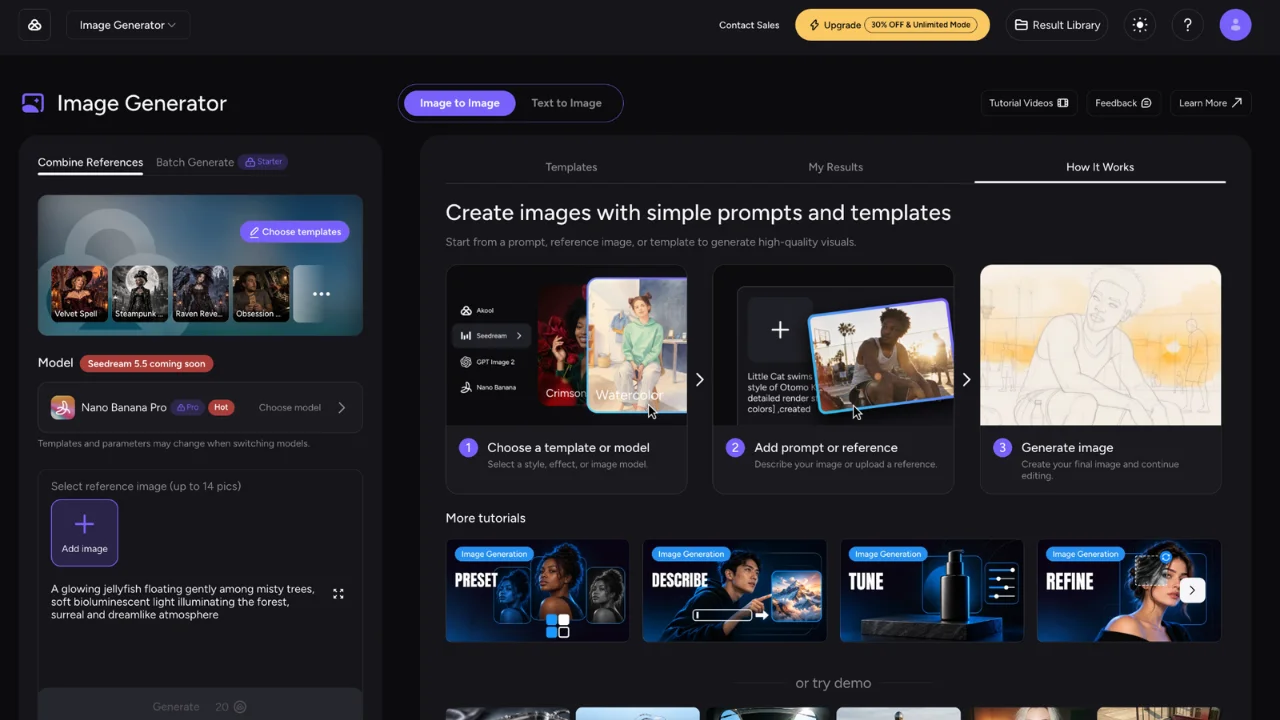 Akool's image generator, with templates, prompts and model choice on one screen.
The image engine lets you type a prompt to build photos from scratch, or upload a base picture to edit lighting, backgrounds and style. It works well for e-commerce product shots, avatars and visual ideas.
Akool's pricing page counts images in credits. On the Starter plan, 200 credits equal 100 "Nano Pro" images, so one image costs about 2 credits.
AI Video Generator and Image to Video
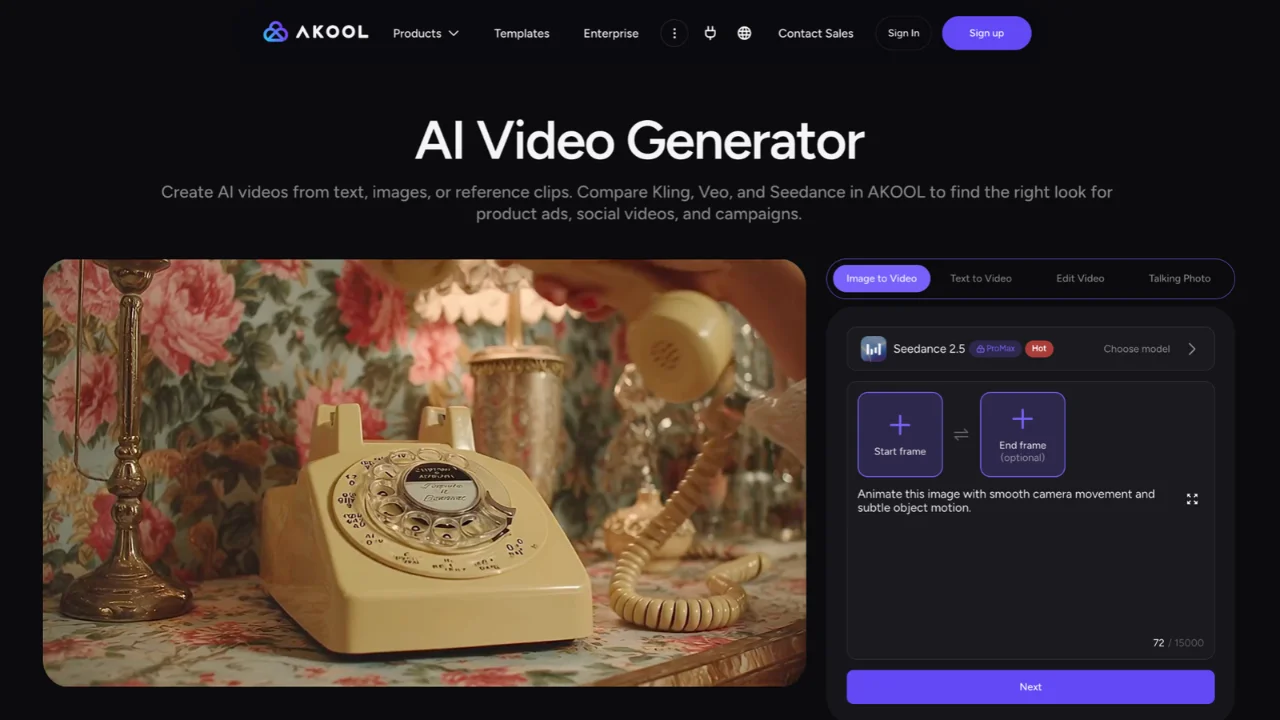 The AI video generator in image to video mode, with start and end frames.
The Akool AI video generator lets you create clips from text or turn static images into moving video. Instead of locking you into one in-house renderer, Akool brings in outside models. Its tools page lists Veo, Sora, Seedance, Wan and Kling under one Video Generator.
You can test different motion engines to see which handles your prompt best.
Which models you get depends on your plan. Starter gets "selected" video and image models and only limited access to Seedance 2.0. Pro gets all the main video models. Seedance 2.5 needs Pro Max or higher.
Extra AI Tools
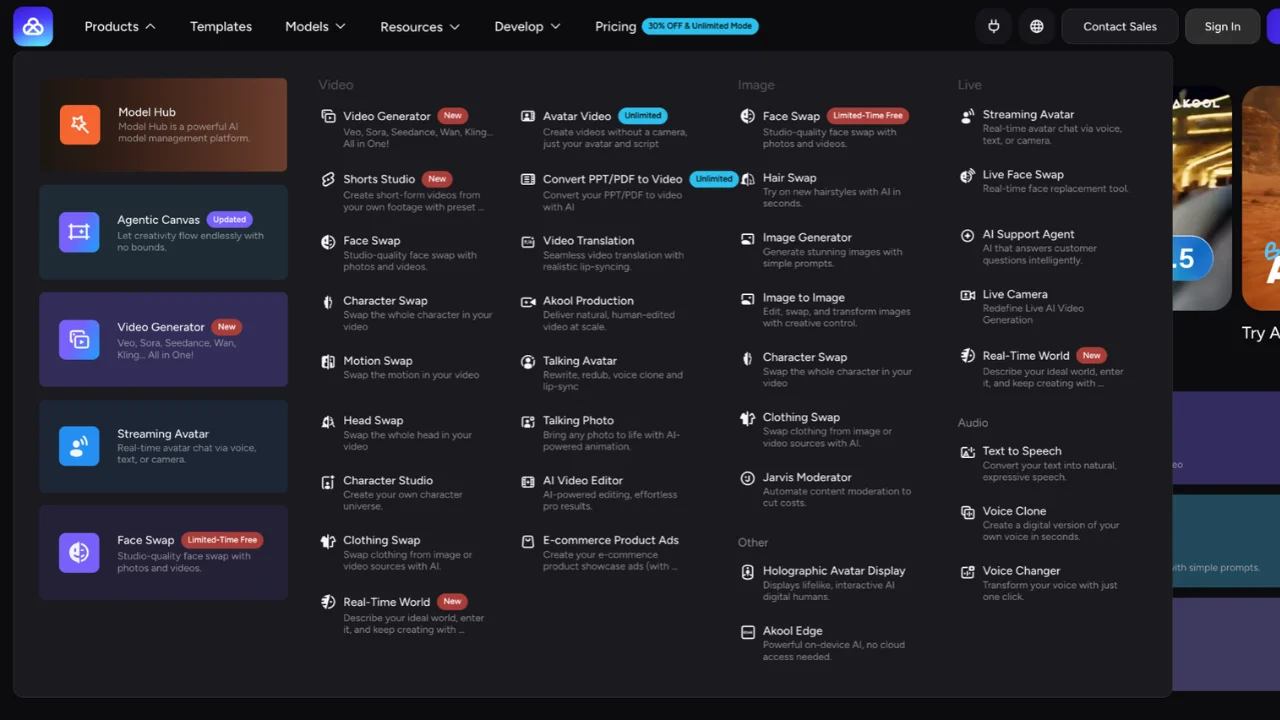 Akool's Products menu shows how many tools sit under one account.
Beyond standard image and video creation, Akool packs in several utility tools:
Face Swap: Replaces faces in photos or videos while keeping expressions natural. There are also Head Swap, Character Swap, Motion Swap and Clothing Swap tools.
Talking Avatars and Photos: Turns static headshots or digital human avatars into lip-synced video presenters.
Video Translation: Dubs uploaded video clips into other languages with matching lip movement.
Convert PPT or PDF to Video: Turns slides into a narrated video.
Shorts Studio: Cuts short-form videos from your own footage with preset styles.
Background Eraser: Cleans up backgrounds and adds realistic drop shadows for product photography.
Voice tools: Text to speech, voice clone and voice changer.
How It Works and How to Use It Step by Step
Getting started on Akool needs no complex setup or technical skills. Here is the basic workflow:
Pick your workspace tool. Select whether you want to generate an image, animate a photo or start a video project.
Enter your prompt or upload media. Type a clear text description of what you want to see. If you are using image to video or face swap, drag and drop your source file.
Choose your model and output resolution. Select the model that fits your goal. Use 1080p for quick social drafts. Higher plans unlock 4K and above for final website visuals.
Generate and review. Hit generate and wait for the render. Images are usually quick, while video renders depend on clip length, model and settings. On the free plan, Akool says processing is slow.
Export or refine. Download your finished file, or run it through the upscaler, face swap or translation tools.
Akool Pricing in 2026: Free Plan, Paid Plans and Credits
Akool uses a credit-based subscription across all its features. Here is what I found on Akool's pricing page on November 6, 2026:
Plan | Monthly billing | Yearly billing (per month) | Credits a month | Max resolution | License |
|---|---|---|---|---|---|
Free | $0 | $0 | Small sign-up bonus | Watermarked | Not listed |
Starter | Yearly only | $12 | 200 | 1080p | Personal |
Pro | $30 | $21 | 600 | 4K | Personal |
Pro Max | $59 | $41.30 | 1,200 | 8K | Personal |
Business | $249 | $174.30 | 6,000 | 16K | Business |
Enterprise | Custom | Custom | Custom | Custom | Enterprise |
All prices are per seat.
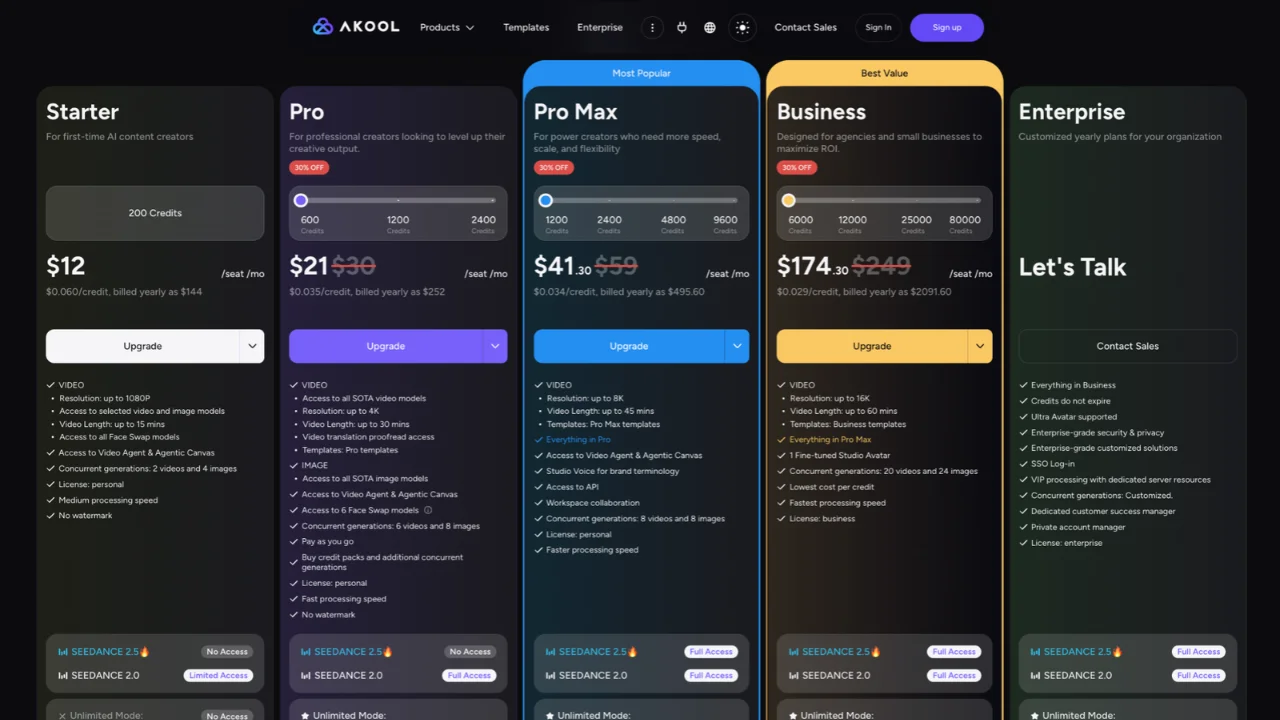 Akool's 2026 plans on yearly billing, with the price per credit under each one.
One thing I noticed: the pricing page opens on yearly billing, so the first prices you see are the discounted ones. Pro shows $21 with $30 crossed out. Click "Monthly" to see what you pay without a yearly commitment.
Free plan: You get a small credit allowance to test features. Outputs carry a full-screen watermark, processing is slow, and you get 5 GB of storage.
How many free credits you get is not clear. When I opened the pricing page, a popup offered 20 free credits for signing up. Akool's avatar video FAQ talks about 100 free credits for new users. Either way, it is enough for a few tests, not a real project.
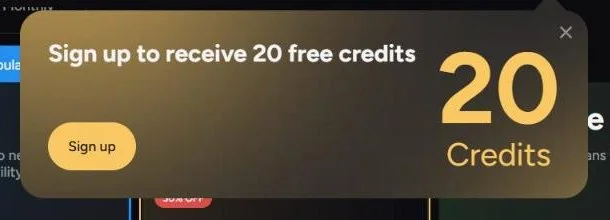 The pricing page offered 20 free credits for signing up.
Paid plans: Starter starts at $12 a month, but only on yearly billing ($144 a year). Pro is $30 on monthly billing or $21 a month on yearly billing.
Higher tiers: Pro Max adds 8K output, API access and team workspaces. Business goes up to 16K and is the first plan with a "business" license.
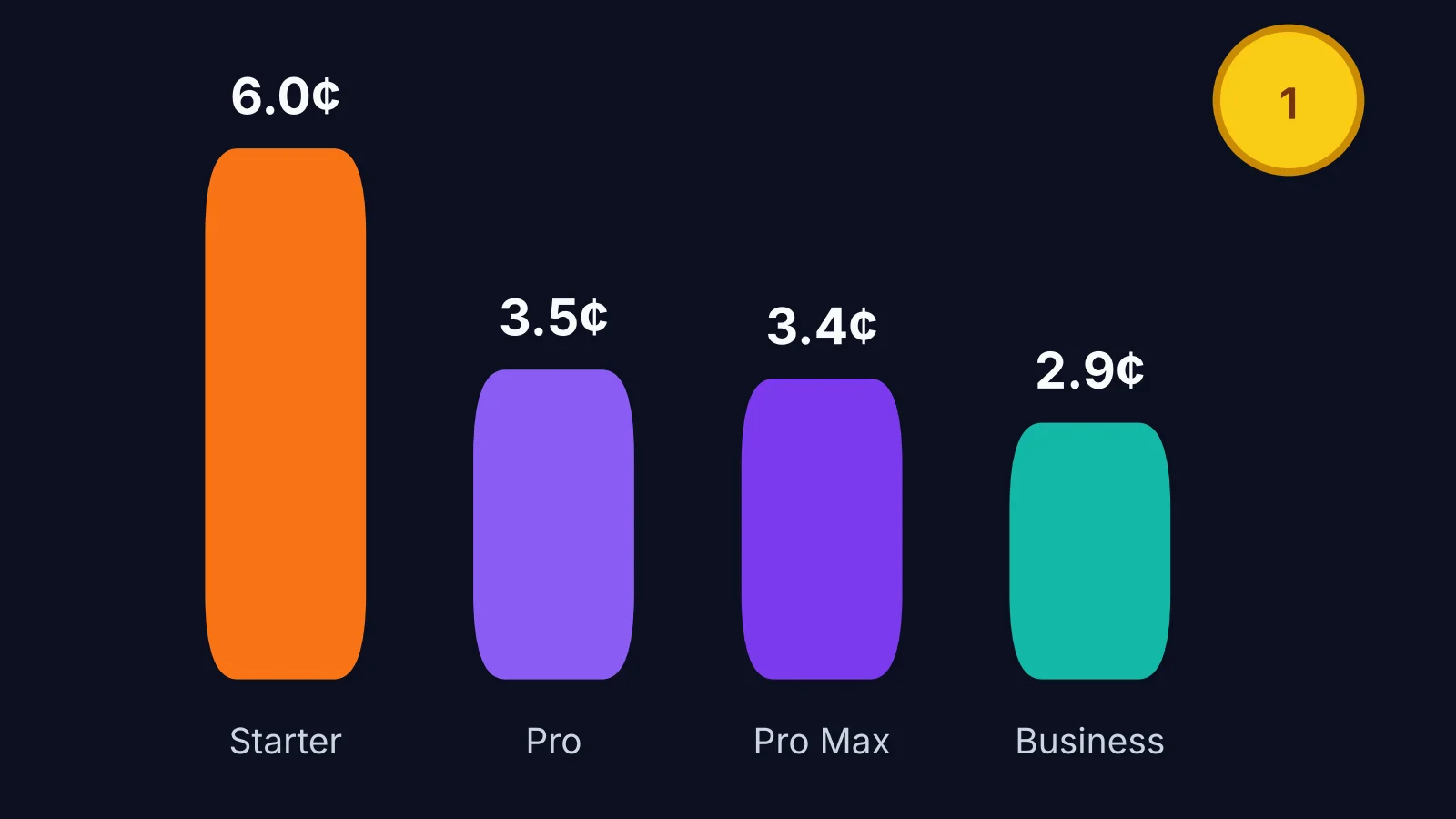 What one Akool credit costs on each plan, from Akool's own numbers.
The credit system means different actions cost different amounts. A quick image uses fewer credits than a 4K video clip or a full face swap dub.
To make that real, I worked out what one credit costs on each plan, using Akool's own numbers:
Starter: $0.060 a credit
Pro: $0.035 a credit
Pro Max: $0.034 a credit
Business: $0.029 a credit
So an image at about 2 credits costs roughly 12 cents on Starter and 7 cents on Pro. A Kling 3.0 video costs 10 credits by Akool's own count (200 credits equal 20 videos on Starter), which is about 60 cents on Starter and 35 cents on Pro.
Buying on a yearly plan cuts the price by 30% on Pro, Pro Max and Business. Starter has no monthly option to compare against. That makes Akool one of the more affordable multi-tool options for small teams, as long as you watch your credits.
Video length limits: Starter lets you make videos up to 15 minutes long, Pro up to 30, Pro Max up to 45 and Business up to 60.
Things to Check Before You Pay
These are the details I almost missed, and most reviews skip them.
The license is "personal" until Business. On the pricing page, Starter, Pro and Pro Max all say "License: personal". Only Business says "business". If you make content for clients or for your company, check what your plan covers before you publish.
Stock avatars and paid ads. Akool's Terms of Service (section 2.4) say you cannot use Akool's ready-made avatars in promoted, boosted or paid social media ads, or on TV, without Akool's written consent. Your own content stays yours (section 4.2), but the stock avatars come with that rule.
Credits do not roll over. Unused subscription credits expire, unless your plan says otherwise. Only the Enterprise card says "Credits do not expire".
Refunds are strict. Akool's help center says it does not refund accidental purchases or a missed cancellation. Set a reminder before your renewal date.
Seats add up. Prices are per seat. If you add an admin or editor to your workspace, they are billed at your plan's rate.
What Real Users Say
I also read what paying users say, because one test only shows so much.
On G2, Akool holds 4.8 out of 5 from 563 reviews. The most common praise is ease of use, high quality AI features and fast video creation.
The complaints are worth reading too. The biggest ones are:
Slow rendering, especially for 4K content at busy times
AI results that miss the mark and need more tries
Cost, especially for users outside the US
Unexpected charges and credits lost on results people did not like
That last one matches what I would expect from any credit-based tool. Every bad result still costs credits.
On the Better Business Bureau, Akool Inc. (Santa Clara, California) is not accredited and shows 3 complaints in the last three years. That is a small number for a tool this size, but it is worth knowing.
Pros and Cons, Honest Limits
No single platform does everything perfectly. Here is a realistic look at where Akool does well and where it hits limits.
Pros
Access to top AI models like Veo, Sora, Kling, Seedance and Wan under one login
High quality image output, with 4K and higher on Pro and above
Solid face swap and avatar lip-sync tools
Affordable compared to buying five separate apps
API access for automated workflows, from Pro Max up
Free plan to test before paying
Cons
Credits can disappear quickly on high-res video renders, and failed results still cost credits
Render queues can slow down at busy times, especially on lower plans
The license is "personal" on every plan below Business
Stock avatars cannot be used in paid social ads without Akool's written consent
Unused credits expire, and refunds are strict
Akool vs Other AI Tools: Best AI Tool for Image and Video Generation?
When you look for the best AI tool for image and video generation, your choice comes down to specialization versus convenience.
Akool vs Midjourney: Midjourney offers deeper artistic control for standalone images, but it lacks avatars and face swap features.
Akool vs HeyGen: HeyGen is a market leader for studio avatar videos, but it is built around avatars and offers fewer general image tools.
Akool vs Runway: Runway gives filmmakers advanced timeline and motion controls, but Akool is simpler for everyday marketing tasks.
Akool vs Higgsfield: Higgsfield is the closest match, since it also bundles several video models in one workspace. I covered it in our Higgsfield AI video generator review. Akool goes wider with face swap, avatars, translation and voice tools.
Akool finds its niche by being a complete, cost-effective hub. It may not beat dedicated single-tool apps at their exact specialty, but having every feature under one roof saves teams time and money.
Frequently Asked Questions
Is Akool worth it in 2026?
For marketers, creators and small teams who want images, video, avatars and face swap in one place, yes. Start on the free plan, then pick Pro if you need all the main video models. Skip it if you only need one specialist tool.
Does Akool offer a free trial?
There is no free trial of the paid plans, but there is a free plan. You can sign up and test image and video features before committing to a paid tier. Free outputs have a full-screen watermark.
How much does Akool cost?
Paid plans start at $12 a month per seat on Starter, billed yearly. Pro is $30 a month, or $21 a month billed yearly. Pro Max is $59 a month and Business is $249 a month, with 30% off both on yearly billing.
Can I use Akool outputs for commercial ads?
It depends on your plan and what you use. Akool's pricing page lists a "personal" license for Starter, Pro and Pro Max, and a "business" license from the Business plan up. Its terms also say you need written consent to use Akool's stock avatars in paid social ads. Check both before running ads.
How many credits does an Akool video use?
By Akool's own numbers, a Kling 3.0 video uses about 10 credits and a Nano Pro image about 2 credits. Higher resolutions, longer clips and face swaps use more.
Do Akool credits roll over?
No. Unused subscription credits expire unless your plan says otherwise. Only Enterprise plans say credits do not expire.
Is Akool easy for non-technical users?
Yes. The interface relies on simple text prompts, drag-and-drop uploads and dropdown menus. Ease of use is also the most common praise in Akool's G2 reviews.
Does Akool have an API?
Yes, from the Pro Max plan up. Starter does not include API access.
My Akool Review Verdict
If you need an all in one dashboard to produce social posts, e-commerce assets, avatars and promo clips, Akool delivers strong value.
Try the free plan first, test your core prompts and check credit use before picking a monthly or yearly plan. And if you make content for clients or paid ads, read the license line on the pricing page before you hit buy.