


The Higgsfield AI video generator is a good fit for marketers, agencies and creators who want several top video models, like Kling, Veo, Sora, Seedance and Wan, in one workspace instead of paying for each separately.
It adds camera controls, video editing, character locking and lip sync on top. Paid plans start at about $19 a month, and there's free access to try it first.
It's less suited to anyone who needs footage viewers must trust as real, like documentaries, product demos or regulated claims.
Software reviews usually start with a feature list and end with a verdict. I'd rather start with a question: what job do you need done?
Plenty of teams are asking whether they can make video without a camera crew, and a new wave of tools says yes. Before you commit to one, it helps to know what it actually offers, who it suits and where the gaps are.
In this guide, I look at Higgsfield's AI video generator using its live product page, its current plans and third-party pricing data as of October 2026. I haven't run long-term tests, so I've focused on what you can verify, plus the questions I'd ask before paying.
What is Higgsfield?
Higgsfield AI is an AI creative suite. It offers AI image, video and voice generation, along with editing and upscaling tools.
Its AI Video Generator is the video part of that suite. You describe a scene or upload an image, pick a model, and Higgsfield generates the clip.
The thing that sets it apart, in my view, is that Higgsfield doesn't rely on one in-house model. It gives you access to many of the leading video models from one account.
What problem does Higgsfield's AI video generator solve?
The pitch is simple: make video from a description or an image, without filming. That matters for small marketing teams, solo founders, agencies and creators who need more video than their budget allows.
The usual obstacles are time, cost and skill:
Filming needs equipment and people.
Editing needs software and patience.
Every revision multiplies both.
A generator squeezes the first draft into minutes, so the human work moves to directing, checking and polishing.
I want to be clear about one thing, though. This doesn't remove the need for judgment. A generated clip can look polished and still say the wrong thing. The tool handles production, and you stay responsible for the message.
Which video models does Higgsfield include?
As of October 2026, Higgsfield's AI video page lists these models:
Kling (including Kling 3.0, Kling 2.6 and Kling o1)
Veo 3.1 from Google
Sora 2 from OpenAI
Seedance 2.0
Wan 2.7
Its menus also show newer options like Seedance 2.5, Grok Imagine and MiniMax.
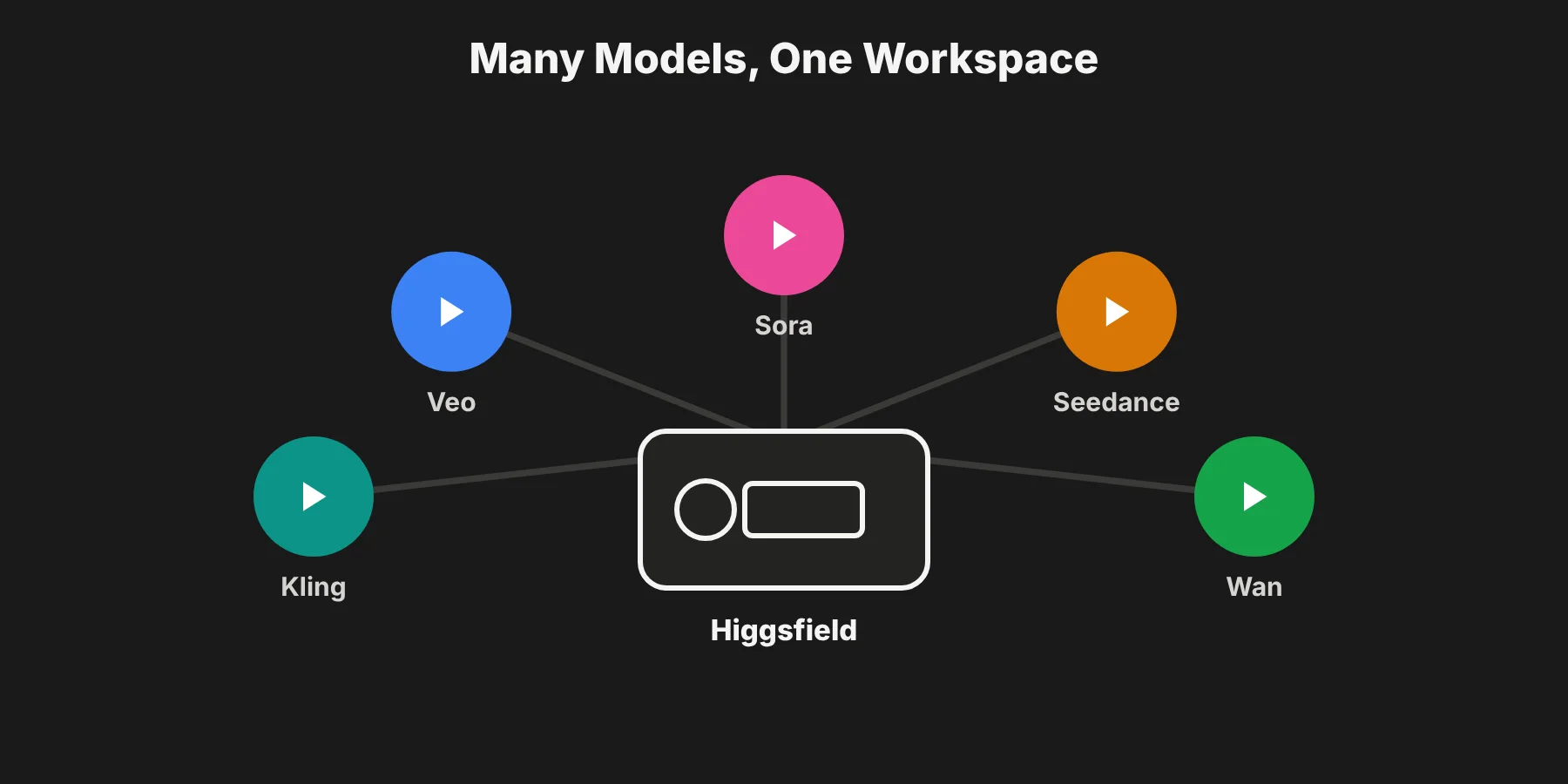 This is the biggest practical benefit I see. Each model has different strengths. One may handle realistic people better, while another is better at stylized motion or camera moves. With Higgsfield, you can try the same prompt on several models and keep the best result, without juggling separate accounts.
Higgsfield AI video generator features
Here's what Higgsfield's product page says the tool offers, and what I think each one is good for.
Text and image to video. You write a description or upload an image, and the tool generates a clip. This is the core feature.
First and last frame control. You can lock how a clip starts and ends. That's very useful for smooth transitions and for linking several clips into one sequence.
Edit any video. You can upload existing footage and change styles, swap objects or refine details by describing the change. That makes the tool useful beyond generating from scratch.
Motion control from a reference video. You can guide movement, pace and gestures with a reference clip, instead of hoping the prompt gets it right.
Character locking. You can keep a character consistent across scenes. Consistency is one of the hardest problems in AI video, so I'd test this feature early if you're making anything with a recurring person or mascot.
Cinema Studio. This gives you simulated camera bodies, lenses and focal lengths, up to three camera movements at once, and separate Photography and Videography modes. It's aimed at people who think in shots, not just prompts.
Native audio and Lipsync Studio. The tool can generate audio with lip sync, sound effects and music, which removes a separate step for many clips.
API access. Teams that want to build video generation into their own apps or workflows can use Higgsfield's API.
That list is strong on breadth. The questions that matter are how well each part works for your use case, and what it costs when you scale.
Higgsfield pricing and credits in 2026
Higgsfield's own pricing page shows plan details only inside the app, and the company restructured its plans in March 2026. So treat these numbers as a guide and check the live pricing page before buying.
According to CostBench's August 2026 snapshot, the plans looked like this:
Plan | Monthly billing | Yearly billing (per month) | Credits per month |
|---|---|---|---|
Free | $0 | n/a | Limited daily use, watermarked |
Starter | $19 | $19 | 270 |
Plus | $59 | $47 | 1,200 |
Ultra | $129 | $99 | 3,000 and up |
Team | $79 per seat | $65 per seat | 1,000 per seat |
Scale | $169 per seat | $150 per seat | 2,500 per seat |
Enterprise | Custom | Custom | Custom |
A few things I'd check before choosing a plan:
Credits per clip vary by model. Premium models use more credits per video than faster or older ones. Segmind's August 2026 breakdown put a Seedance 2.0 clip at about 22 credits.
Monthly credits don't roll over. Unused plan credits expire at the end of each billing period.
Top-up packs expire too. Extra credit packs are reported to last 90 days.
Free outputs are limited. Free access is fine for testing, but outputs are watermarked and short.
My tip: before you pay, write down how many finished clips you need each month, multiply by about three attempts per clip, and check that against each plan's credits. AI video almost always needs several generations to get one keeper.
Who is Higgsfield likely to suit?
Based on the features, a few groups stand out:
Social media teams that need short vertical clips on a steady schedule.
Small businesses that want product or brand videos without hiring a production company.
Agencies producing concept videos, pitches and variations for clients.
Creators who want to prototype ideas and visuals before filming.
Marketing teams that need explainers and campaign assets for different channels.
Educators and trainers who want illustrative scenes for lessons.
It's less suited to work that depends on exact reality: documentary footage, regulated claims, precise product demonstrations, or anything where a viewer must trust that what they see really happened.
How should you evaluate a tool like this?
Whenever I look at a SaaS product, I use the same short checklist. It works here too.
Define the job. What video do you need next month? Be specific, like "ten vertical product teasers" or "a launch video for a new feature."
Check the inputs. What do you need to provide: text, images, reference clips, audio?
Check the outputs. What formats, lengths and resolutions do you get on your plan?
Look at the models. More options mean more flexibility, but also more to learn.
Understand the credits. Work out what your monthly volume will really cost.
Read the usage rights. Can you use the output commercially, and on which plans? Check Higgsfield's terms of use.
Test with your own content. A demo reel shows the best case. Your real briefs show the typical case.
Plan the human steps. Decide who reviews, edits and approves.
How do AI video tools fit into a real workflow?
A generator is one stage of a process, not the whole thing. A typical workflow looks like this:
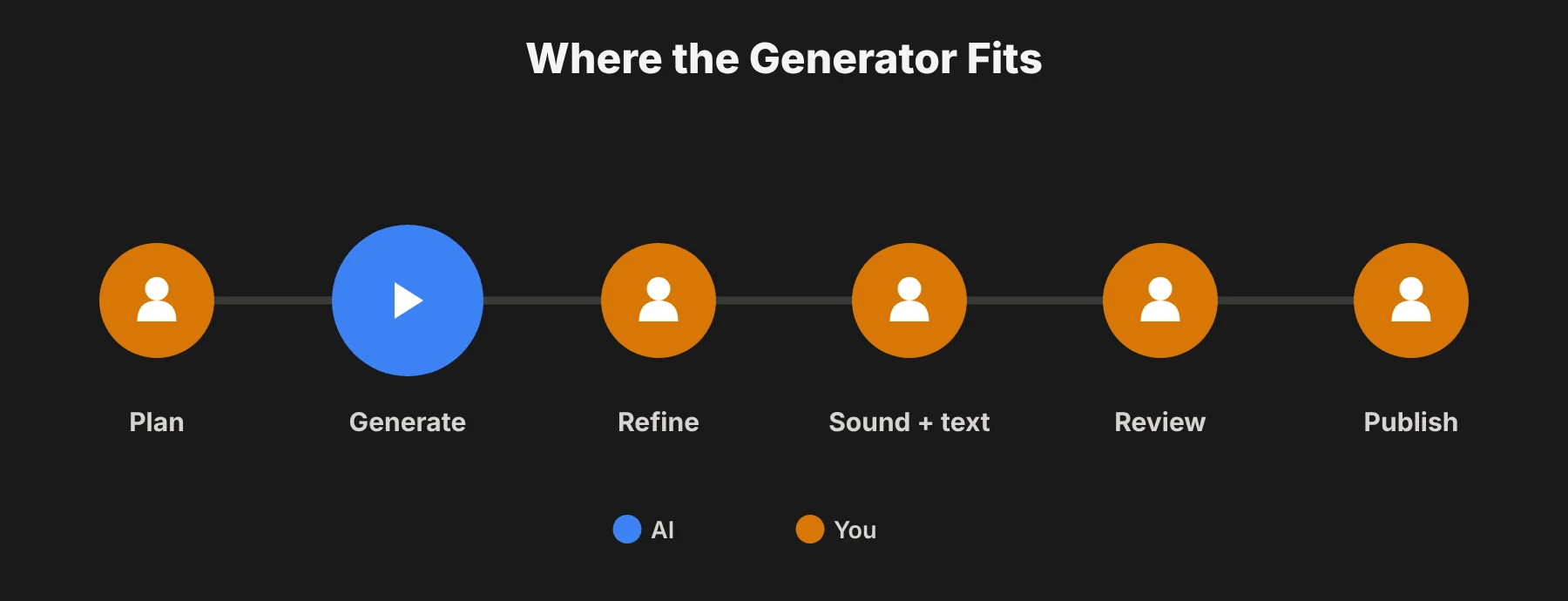 Plan. Write the script and list the scenes. A clear brief saves rounds of changes.
Generate. Create clips for each scene, comparing a few options and models.
Refine. Use editing features or an outside editor to trim, fix and combine.
Add sound and text. Add titles and captions in an editor where you can proof every character.
Review. Check facts, brand fit and legal points.
Publish and measure. Track watch time, clicks and conversions.
I'd treat the first few projects as experiments. Keep notes on what worked, how long each step took and where the tool fell short.
Higgsfield strengths and weak points
Strengths
Breadth. Several leading video models in one place cuts down on separate subscriptions.
Control. First and last frames, motion references and character locking give you more say than a plain text prompt.
Editing. Changing existing footage extends the tool well beyond generation.
Sound. Native audio and lip sync remove a separate step for many clips.
Camera focus. Cinema Studio shows real attention to shot design.
Weak points
Consistency. Even with character locking, keeping every detail identical across shots is hard for any generator. Test it with your own characters.
Fine detail. Hands, small text and complex interactions can still go wrong.
Randomness. Even with references, results vary between attempts, so expect several versions per clip.
Cost at scale. Credits run out fast with premium models and multiple attempts.
Changing plans. Higgsfield restructured pricing in 2026, so budgets need regular checking.
Learning curve. More features and models mean more to learn.
Higgsfield vs Runway vs Kling
I haven't run the same brief through each tool, so this isn't a quality ranking. It's a quick comparison of how each one is set up, based on published 2026 plans.
Higgsfield | Runway | Kling | |
|---|---|---|---|
Approach | Many third-party models in one workspace | Its own Gen-4 models plus editing tools | Its own Kling models |
Entry paid plan | About $19/month | $12/user/month (yearly) | $10/month |
Free option | Limited, watermarked | 125 one-time credits | 66 credits a day |
Standout | Model choice, Cinema Studio, character locking | Editing suite and team tools | Strong motion, low entry price |
Choose Higgsfield if you want to compare several models without separate accounts, and you like camera-style controls.
Choose Runway if you want a full editing suite and team workspace built around its own models.
Choose Kling directly if you already know Kling's models suit your work and want the lowest entry price.
The fairest test is still your own: pick one realistic brief, run it through two or three tools, and compare output quality, time spent, control and total cost. Bring a colleague into the review so the decision isn't only yours.
How do you keep quality high?
In my view, quality is mostly process.
Write clear prompts. Include subject, action, setting, camera and style. Keep scenes simple.
Use references. Give the tool examples of what you want wherever it supports them.
Review closely. Watch every second, not just the thumbnail.
Keep a library. Save prompts, models and settings that worked.
Mix with real footage. Combine generated scenes with real recordings where authenticity matters.
Get a second pair of eyes. Someone who didn't make the clip will spot problems faster.
The same habits apply to other AI creative tools. I covered a similar prompt-and-check routine in my guide to AI text effects.
What about legal and ethical questions?
Teams should settle these early:
Likeness. Don't generate videos that imitate real people without their consent.
Copyright. Don't recreate protected characters, logos or music.
Truthfulness. Don't use generated scenes to claim results or events that didn't happen.
Disclosure. Follow the labeling rules of your platforms and clients. For example, YouTube requires creators to disclose realistic AI content when uploading.
Data. Keep sensitive information out of prompts and uploads unless your policies allow it.
AI helps most when people stay in charge of review, and that's just as true for video as for any other AI tool.
Should you try Higgsfield?
If your team needs more video than it can film, and you're comfortable reviewing and editing the results, I think Higgsfield is worth a trial. Its main advantage is choice: several leading models and strong camera controls in one place.
Start with free access and choose one project. Define what success looks like in advance, and measure time saved against time spent reviewing.
If the numbers work, move to the smallest paid plan that covers your monthly volume and scale gradually. If not, you'll have learned exactly what to ask of the next tool.
Higgsfield AI video generator FAQs
What is Higgsfield's AI video generator?
It's a tool that creates video from text prompts and images, using several leading AI video models in one workspace. It also includes video editing, motion control, character locking, camera controls and audio with lip sync.
Which models does Higgsfield offer?
Higgsfield's video page lists Kling, Veo 3.1, Sora 2, Seedance 2.0 and Wan 2.7, with newer options like Seedance 2.5, Grok Imagine and MiniMax also shown.
How much does Higgsfield cost?
Higgsfield has free access to start. Paid plans began at about $19 a month in August 2026, with higher plans, team plans and custom Enterprise pricing above that. Prices changed several times in 2026, so check the live pricing page.
Do Higgsfield credits roll over?
No. Monthly plan credits expire at the end of each billing period. Separately bought credit packs are reported to last 90 days.
Can Higgsfield edit existing video?
Yes. Its Edit any video feature lets you upload footage and change styles, swap objects or refine details by describing what you want.
Is Higgsfield better than Runway?
They take different approaches. Higgsfield gives you many third-party models in one place, while Runway focuses on its own models with a strong editing suite. The best way to decide is to run the same brief through both.