


The SaaS stack behind a one-person consulting business is shorter than most tool roundups suggest. You need a place clients can find you, a way for them to book time, somewhere to hold calls, a way to sign agreements, a timer, a password manager and a plan for tax. Seven jobs, and a few of them can share one tool.
My short answer: start with Carrd, Calendly's free plan, Google Workspace, Toggl Track's free plan, Bitwarden's free plan and a tax spreadsheet. Add DocuSign or a paid booking plan only when you feel the gap.
I priced every tool in this article on its own pricing page in November 2026, because the gap between a lean stack and a bloated one is the difference between keeping your first client's money and spending it.
A lot of new consultants do the opposite. They sign up for whatever a productivity video recommended, pay for five overlapping apps before the first invoice goes out, and only audit the stack once the monthly total starts to sting.
Seven jobs and the tool I'd start with
Job | Tool I would start with | Free option | Paid from |
|---|---|---|---|
Website | Carrd | Yes | $19 a year (Pro Standard) |
Booking | Calendly | Yes, one event type | $10 per seat a month, billed yearly |
Email, calls, docs | Google Workspace | No | $7 per user a month (Business Starter, US list price) |
Agreements | DocuSign eSignature | No | $11 a month (Personal, annual) |
Time tracking | Toggl Track | Yes | $9 per user a month (Starter, annual) |
Passwords | Bitwarden | Yes | $1.65 a month (Premium, billed annually) |
Tax set-aside | A spreadsheet | Yes | $0 |
Prices are the published list prices at the time of writing. Most of them assume annual billing, so the monthly figure is higher if you pay month to month. Calendly Standard, for example, shows a "Save 17%" label for yearly billing, and Toggl Starter is $12 a month if you pay monthly.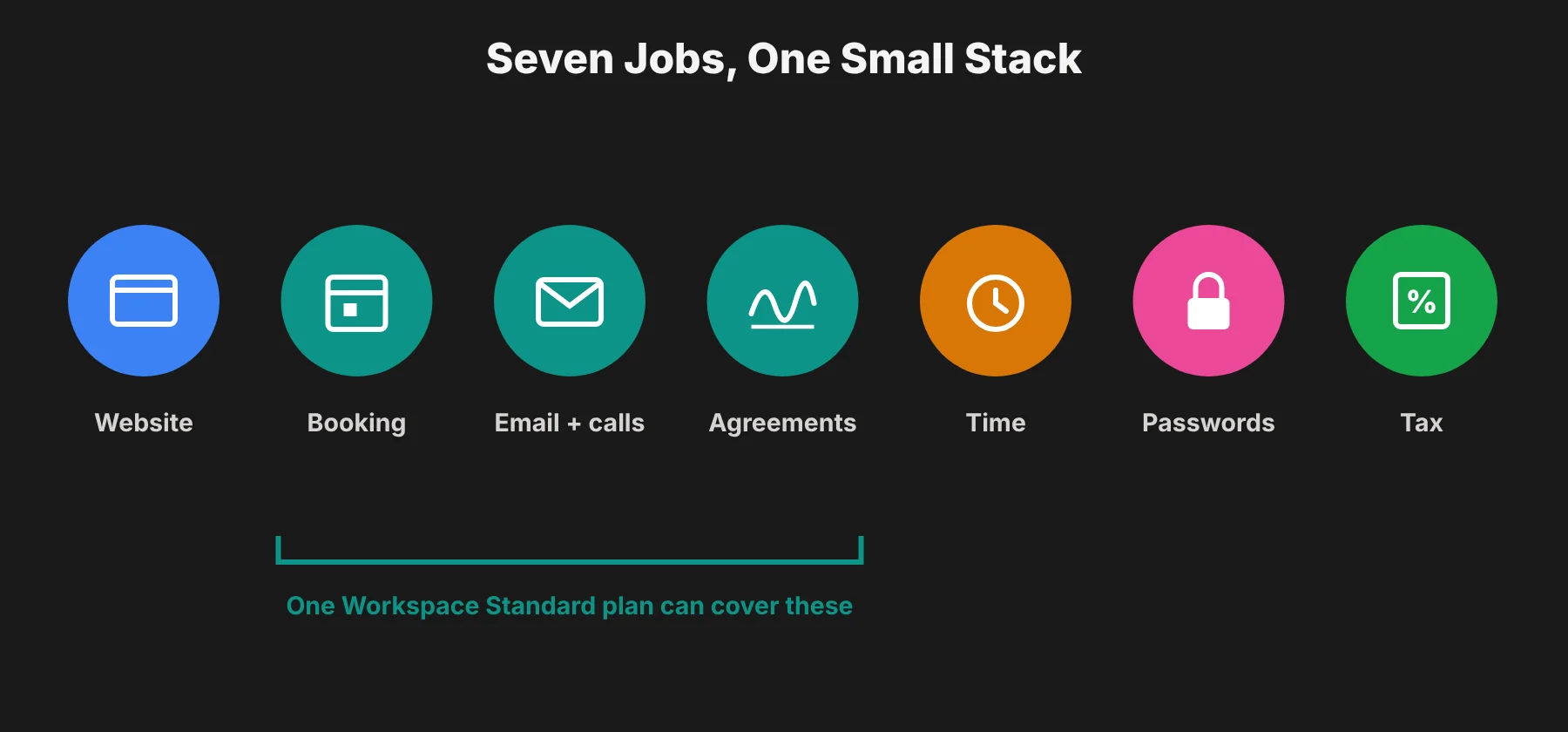 Getting found: the one-person consulting business website
A consulting site needs to do three things. Say who you help, show proof that you have helped someone like them before, and give them one clear way to book a call.
Carrd handles that for very little money. Pro Standard is $19 a year for up to 10 sites, and it adds custom domains, forms, analytics and no Carrd branding. If you only want a nicer carrd.co address and no custom domain, Pro Lite is $9 a year.
What happened when I built a Carrd page without an account
I wanted to know where the sign-up wall sits, because that tells you how much you can try before you commit. So I opened Carrd in Chrome with no account.
I picked a profile template from the "Choose a Starting Point" screen, and the editor opened straight away. The toolbar gave me add, undo, preview and mobile view buttons, and I could click any element to edit it, all without signing up.
The account step only came when I clicked Publish. That's where Carrd asked for a name, email and password for a new account.
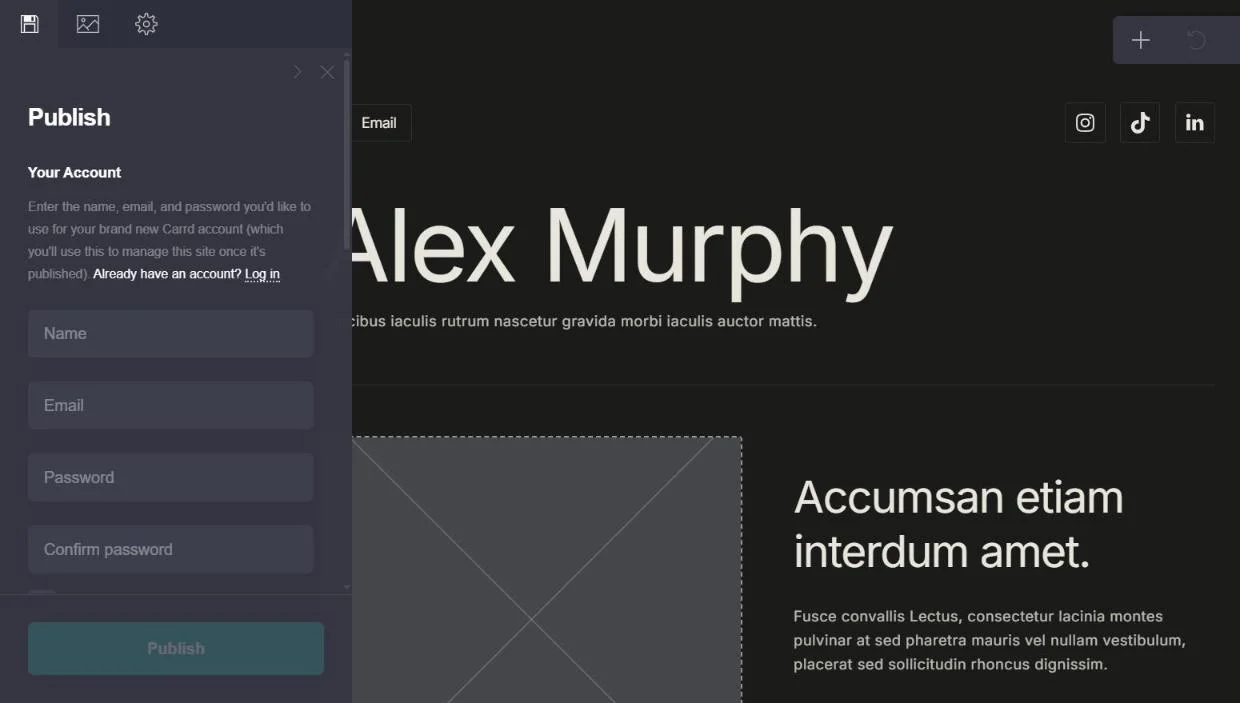 That's a friendly order for a new consultant. You can draft your whole homepage in an evening, show it to a friend, and only make the account once you're happy with it. Carrd also offers a 7-day Pro trial with no payment method, so you can test a custom domain before paying the $19.
Getting booked without paying twice
Calendly is the booking tool most clients will already recognize. It connects to your calendar, and Standard at $10 per seat a month, billed yearly, adds unlimited event types, multiple calendars and automated reminders.
Calendly's free plan gives you one event type and one calendar connection. That is fine if you only offer a single discovery call. The moment you want a 30 minute intro and a 90 minute working session as separate options, you are on Standard.
If the price or the branding bothers you, there are solid Calendly alternatives, and the Workspace booking pages I cover next are worth testing first.
The overlap I'd check before paying for Calendly or DocuSign
This is the part most stack lists miss. Google Workspace Business Standard lists "Appointment booking pages" and "eSignature with Docs and PDFs" among its features. Business Starter doesn't include either one.
So I did the math on the two routes, using US list prices:
Route | Tools | Monthly cost |
|---|---|---|
Separate tools | Workspace Starter ($7) + Calendly Standard ($10) + DocuSign Personal ($11) | $28 |
One upgrade | Workspace Standard ($14) with its booking pages and eSignature | $14 |
That one detail can remove two lines from the table above and save about $14 a month. Calendly and DocuSign still do more within their own jobs, such as routing forms or envelope tracking. But in your first months, check what your email plan already includes before you add either one on top.
Where the client relationship lives
Once someone books, you need a home for the work itself. Plenty of solo consultants end up with a shared folder per client and a long email thread, which works until the third client.
Another route is to keep the offer and the client relationship in one place. Consultants and coaches who start and run their online business on Whop can hold client chat and video calls in a private space attached to their offer.
Whop's breakdown of ways to earn online puts online consulting at $75 to $500 an hour and online coaching at $50 to $300 a session. That's a handy reference point when you are setting your first rate.
Whichever route you take, decide it before client number one. Moving three active clients out of email threads later is slow and a little embarrassing.
The daily work tools
Email, calls and documents
Google Workspace covers your business email address, video meetings and documents in one subscription. Business Starter includes custom business email and video meetings for up to 100 participants. Standard raises that to 150 and adds recording and noise cancellation.
Prices on the Workspace page change with your region and with whatever introductory offer is running. When I checked, the page showed a half-price offer on both plans for new sign-ups.
So check the figure shown to you before budgeting. For a single person, the gap between Starter and Standard is mostly about whether you want those booking pages and eSignature included.
Agreements
Every engagement should start with a signed scope. DocuSign's Personal plan is $11 a month on an annual commitment of $132 and includes five envelopes a month. For most solo consultants, five new agreements a month is plenty in year one.
If you are comparing tiers, this breakdown of how much DocuSign costs at each level is worth a look, because the jump from Personal to Standard is large.
Time tracking
Even on fixed-fee projects, track your hours. It is the only honest way to find out whether a $3,000 project paid you $150 an hour or $40.
Toggl Track's free plan covers up to 3 users, which for a solo consultant means it is simply free. It includes timers, calendar integrations and personal reports. Starter is $9 per user a month on annual billing and adds billable rates, which matters once you bill some clients hourly.
Passwords and access
Clients will hand you logins to their analytics, ad accounts and content systems. Keep them out of your browser's saved passwords.
Bitwarden's free plan is enough for one person. Premium is $1.65 a month, billed annually at $19.80, if you want the integrated authenticator and security reports.
The tax line nobody puts in the stack
No app on this list matters as much as setting money aside. If you work for yourself in the US, the IRS sets the self-employment tax rate at 15.3%, made up of 12.4% for Social Security and 2.9% for Medicare.
You must pay it and file Schedule SE once your net earnings from self-employment reach $400. You may also need to pay estimated taxes quarterly.
That is on top of income tax. A spreadsheet that moves a fixed share of every payment into a separate account costs nothing and prevents the most common first-year shock.
It is also worth deciding how the business is set up. The SBA notes that you are automatically a sole proprietorship if you do business without registering as anything else, and that sole proprietors can be held personally liable for the business's debts. An LLC changes that in most cases, which matters more once you sign larger contracts.
If you're outside the US, the numbers change but the habit doesn't. Find your local self-employment rate and set the spreadsheet up on day one.
Three budgets, side by side
To make the costs concrete, I added up three versions of the stack per month, using the list prices above.
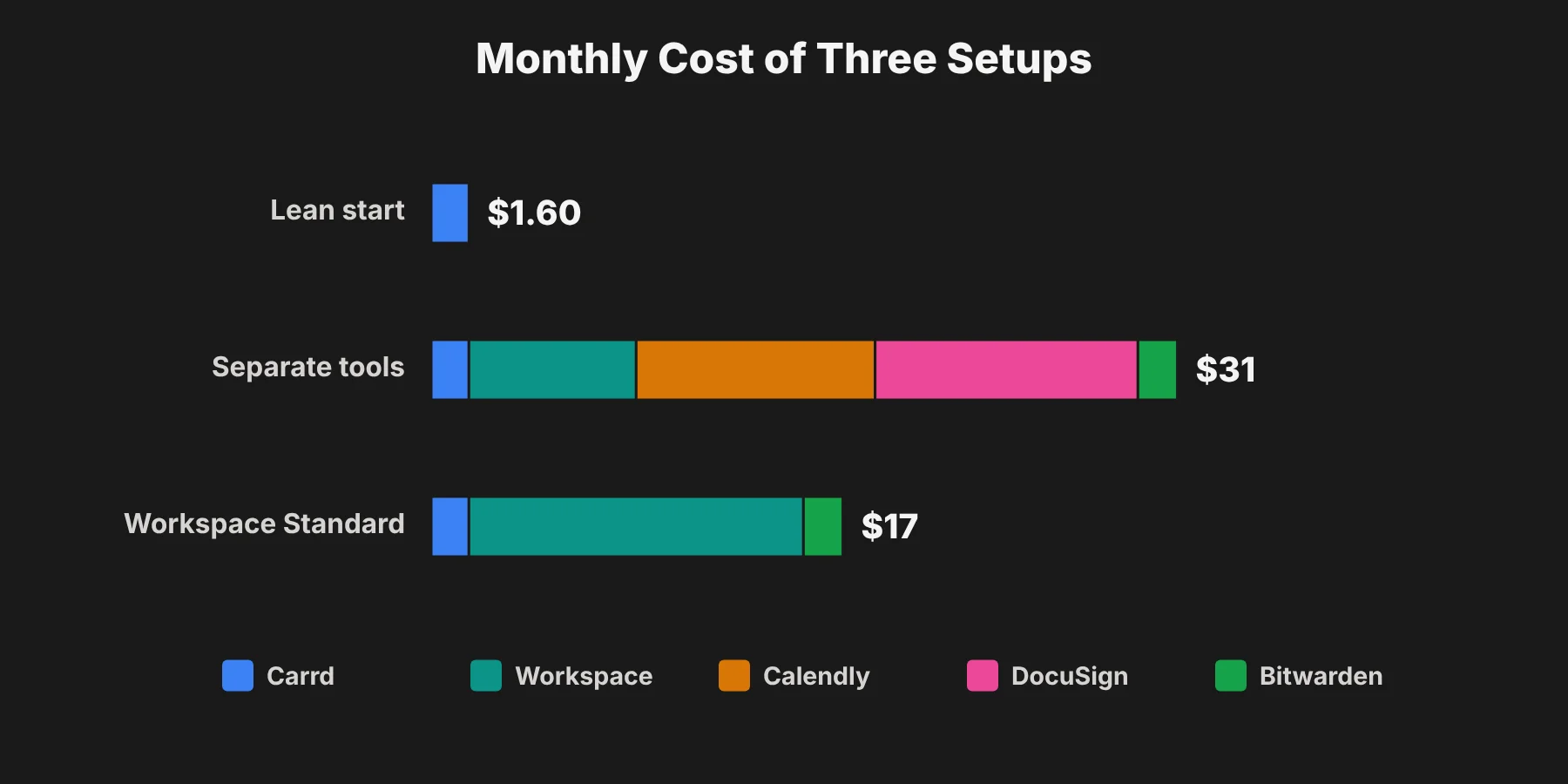 Lean start: about $1.60 a month
Carrd Pro Standard, Calendly free, Toggl free and Bitwarden free come to about $19 a year, plus whatever email you already use. That is enough to land and deliver your first few clients.
Separate tools: about $31 a month
Add Workspace Business Starter ($7), Calendly Standard ($10) and DocuSign Personal ($11) and you are at $28 a month for those three, plus about $1.60 for Carrd spread across the year and $1.65 if you take Bitwarden Premium.
Workspace Standard route: about $17 a month
Swap Starter for Business Standard ($14) and use its booking pages and eSignature instead of Calendly and DocuSign. With Carrd and Bitwarden Premium, that's about $17 a month, and one less login to manage.
When I'd upgrade each tool
The safest rule is to upgrade only when a free plan stops you from doing real client work. Here's the trigger I'd watch for with each one:
Tool | Stay on free until | Then move to |
|---|---|---|
Carrd | You want your own domain | Pro Standard, $19 a year |
Calendly | You need a second meeting type | Standard, or Workspace Standard booking pages |
DocuSign | You send more than a couple of agreements a month and don't have Workspace Standard | Personal, $11 a month |
Toggl Track | You bill any client by the hour | Starter, $9 a month |
Bitwarden | You want built-in 2FA codes | Premium, $1.65 a month |
Mistakes that cost new consultants money
Paying for a project management suite before you have two clients at once. A shared document per client is enough for a long time.
Buying annual plans in your first month. Annual pricing is cheaper, but only if you are still using the tool in month eleven.
Paying for booking and e-signature twice. If you're on Workspace Business Standard, test its booking pages and eSignature before adding Calendly or DocuSign.
Using personal accounts for client work. Set up the business email and the password vault in the business's name from day one.
Skipping the tax account. This is the one that hurts in April.
Questions solo consultants ask
What software do I need to start a consulting business?
A website, a booking link, email and video calls, an e-signature tool, a timer and a password manager. Everything else can wait until you feel the gap.
How much does a solo consulting stack cost per month?
A lean version can cost close to nothing beyond a $19 a year website plan. A fuller setup with separate booking, e-signature and Workspace Starter comes to about $31 a month at US list prices. Using Workspace Standard's built-in tools brings that to about $17.
Is Calendly free enough for consultants?
If you offer one type of call, yes. Calendly's free plan is limited to one event type and one calendar connection.
Do I need DocuSign as a solo consultant?
You need signed agreements. Whether that comes from DocuSign or the eSignature built into Google Workspace Business Standard depends on which you already pay for.
Can I build a consulting website without paying?
Yes. In my test, Carrd let me build a full page from a template with no account and no payment. You only need a free account to publish, and $19 a year for Pro Standard if you want your own domain.
Should I form an LLC before my first client?
Not necessarily. The SBA describes sole proprietorships as a reasonable choice for low-risk businesses and for testing an idea, but they leave your personal assets exposed. Many consultants form an LLC once contracts get bigger.
What I would do
Start with the free tiers and a $19 Carrd site. Get one client. Then pay for the tool that is causing you the most friction, and only that one.
Check what your email plan already includes before you add booking or e-signature tools, and open the tax account on the same day you send your first agreement. The stack that works is the one you can afford when work is slow.