


In this RemNote review, my short answer is yes: RemNote is worth trying for students and lifelong learners who want notes, flashcards and spaced repetition in one app. The free plan covers the basics well.
Pro starts at $8 a month on yearly billing ($10 monthly), and Pro with AI at $18 a month yearly ($20 monthly) if you want heavy AI use.
If you're a student, you need to be careful about where you spend your money. Even as a casual learner, you want to be sure a tool will actually work for you before paying for it.
RemNote is one of the bigger names among study tools. The company says more than 1,000,000 students use it. It runs on a freemium model, with a free tier plus paid Pro and Pro with AI plans for more features and AI credits.
So it's popular. But is it worth your time and money? In this review, I go through each feature, what it costs, where it falls short and who it suits best.
What is RemNote?
RemNote is a note-taking and learning app that helps students, researchers and lifelong learners organize what they study and remember it long term.
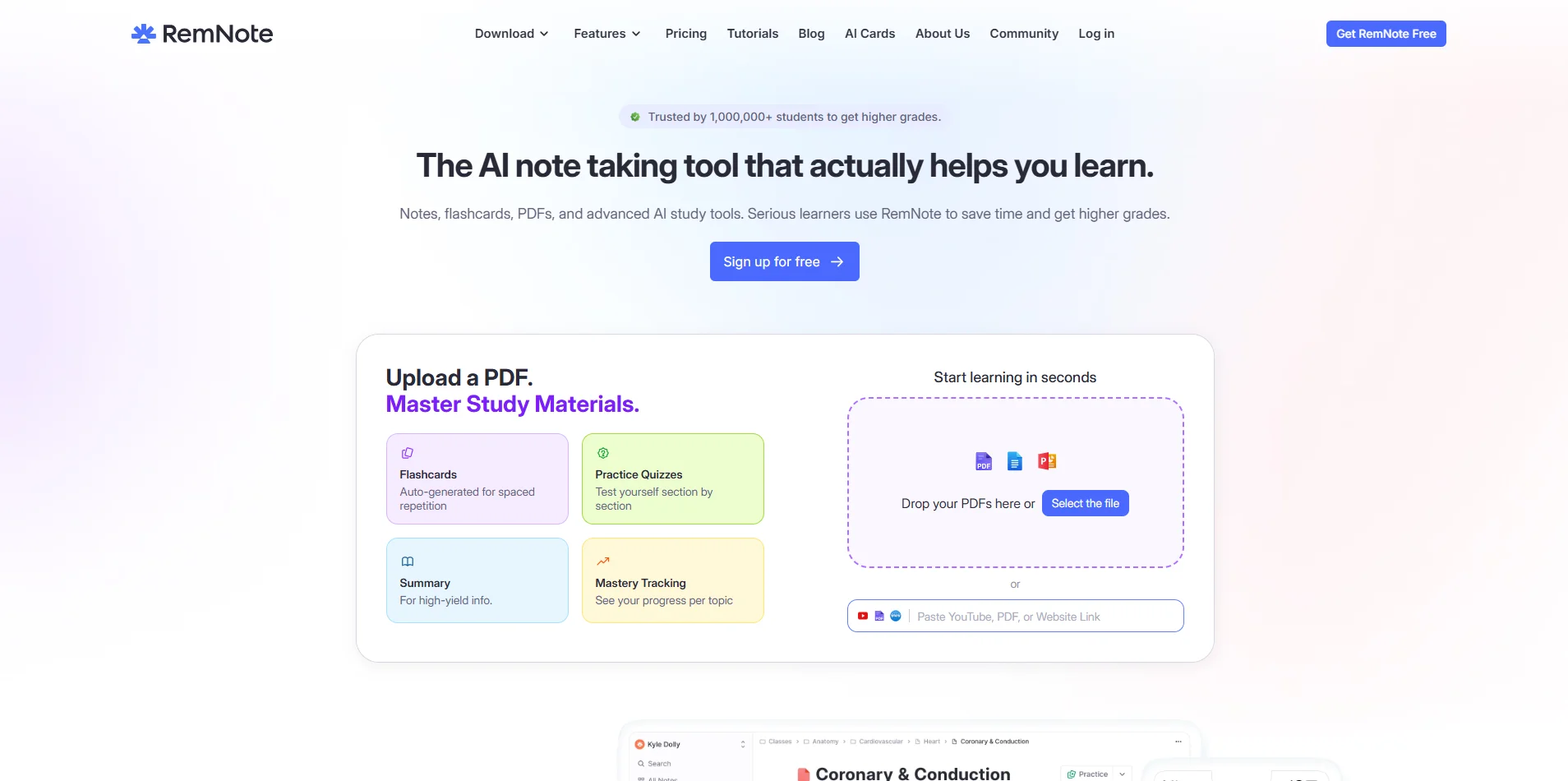 It was founded in 2020 and runs on desktop and mobile (iOS and Android), with notes syncing between devices.
It also includes AI tools that help with different parts of studying:
Flashcard and quiz generation
AI tutor chat
Learning from PDFs
Summaries and explanations on each card
The big idea, as I see it, is to keep your notes and your flashcards in the same place, so you don't take notes in one app and then rebuild them as cards in another.
RemNote key features
RemNote has quite a few features students can use to study better. Here's a closer look at each one, and what I think of it.
Note-taking
RemNote uses a bullet-based, nested editor. You write a main idea as a bullet, then add smaller points underneath it, which builds a natural outline.
You can also link related notes together, which makes it easy to jump between connected topics. Search finds specific notes, concepts or flashcards quickly. You can manage tasks, documents and study plans in the same app too.
My take: if you like outlining, this editor feels natural. If you prefer free-form pages like in Notion or Google Docs, the bullet structure takes a few days to get used to.
Flashcards and spaced repetition
This is where RemNote really stands out to me. Its AI flashcard maker creates cards straight from your notes, so you don't need a separate flashcard app.
You can also turn other material into cards, including:
PDFs and PowerPoint slides
Word documents
Web pages and pasted text
YouTube videos and lecture recordings
Your own notes
You can create several card types: question-and-answer cards, cloze (fill-in-the-blank) cards, image occlusion cards that hide parts of a diagram, and list-based cards.
Once you start reviewing, RemNote schedules future reviews automatically based on how well you remember each card. That's spaced repetition.
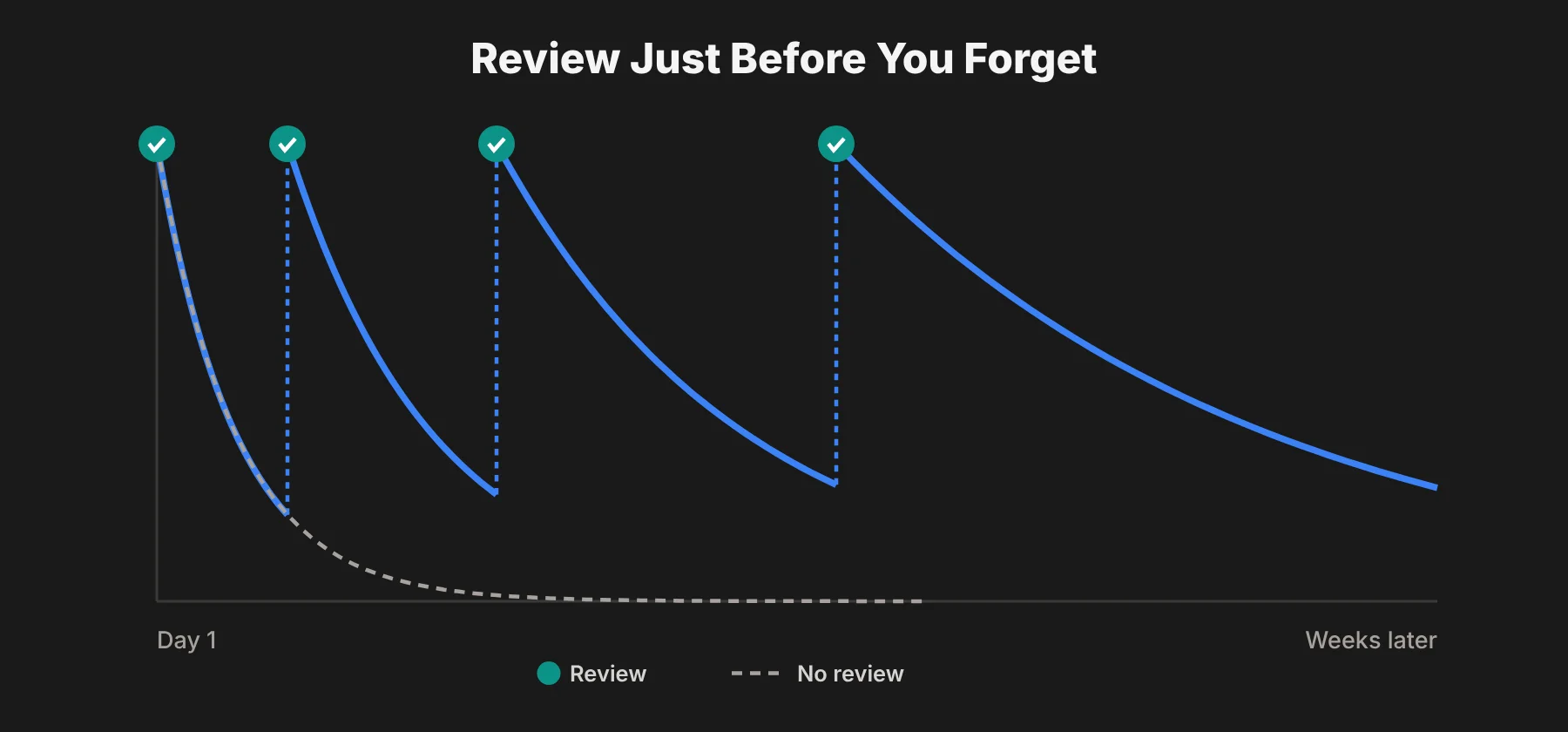 The idea is simple: you review information just before you're likely to forget it. Each successful review pushes the next one further out, so you spend less time on cards you know and more on the ones you don't.
Learning difficult subjects and languages
Flashcards are especially useful for heavy, fact-based subjects like science. You can use RemNote to memorize formulas, learn key concepts and break difficult topics into small, easier pieces.
It can be a big help for medical students. You can build study guides, flashcards and quizzes for a subject as large and connected as medicine, and image occlusion works well for anatomy diagrams.
It also works for learning languages. Language learning means a lot of new vocabulary, which is exactly what flashcards and spaced repetition are good at. The AI tutor can explain grammar or give extra examples when you get stuck.
Creating quizzes
RemNote can also generate quizzes with AI. You upload a PDF, paste text, or link a web page or YouTube video, then choose Quiz Me or Generate Practice Quiz.
It can create multiple-choice or free-response questions. You can also choose the difficulty: Recall for remembering the basics, or Application for more conceptual questions.
When you make a quiz from a PDF or other material, you can use Test Mode to simulate a real exam, or Study Mode to learn with instant feedback and explanations.
That makes RemNote a solid free Quizlet alternative for self-testing, as long as you stay within the free plan's AI limits.
Ease of use and learning experience
I think RemNote is one of the stronger AI study tools on the market right now. It brings notes, flashcards and review into one platform, which makes studying more organized.
The basics are easy to pick up. Any student who studies on a computer should be able to start taking notes and making cards within an hour.
The deeper features, like custom card types, tables and plugins, take longer to learn. I'd start simple and add features as you need them.
Desktop vs mobile: the mobile app works best as a companion to the desktop app. You'll want a computer for heavy note-taking and setting things up.
That said, the mobile app is smooth, works offline, and is great for reviewing flashcards on the go. Its PDF reader can also reflow text and resize fonts, which makes long PDFs much easier to read on a phone.
One warning: the spaced repetition queue can pile up fast if you skip days. If you add lots of cards and then miss a week, you might come back to hundreds of reviews. Consistency matters more than volume here.
RemNote pricing and value
One of the best things about RemNote is how much you can do for free. Even the mobile app is free, which makes it a good free Anki alternative for students on a budget.
If you just want to learn how to make flashcards or how to study with them, the free plan is enough to get started.
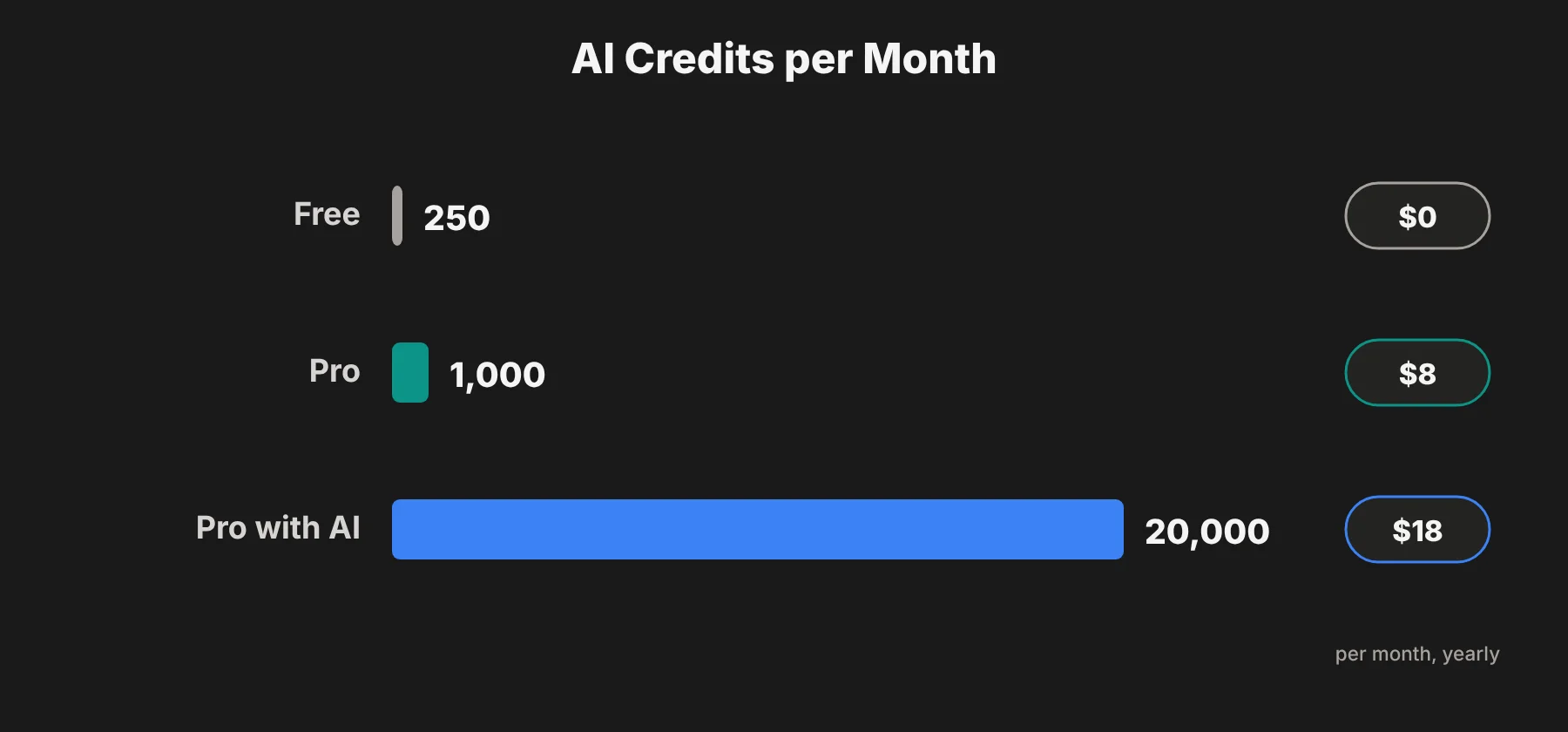
Here's how the plans compare on RemNote's pricing page in October 2026:
Plan | Monthly billing | Yearly billing | AI credits per month | Best for |
|---|---|---|---|---|
Free | $0 | $0 | 250 | Trying RemNote and light use |
Pro | $10/month | $8/month ($96/year) | 1,000 | Regular students who need no material limits |
Pro with AI | $20/month | $18/month ($216/year) | 20,000 | Heavy AI users |
 Free plan limits include:
3 annotated PDFs, files or websites
5 image occlusion images
1 handwritten document
1 exam in the exam scheduler
250 AI credits per month
20 file uploads a day, up to 8MB each
2 knowledge bases, 2 search portals, 10 math cloze cards and 3 tables
Pro removes most of those limits. It adds unlimited annotated PDFs and image occlusion, the full exam scheduler, advanced customization, plugins, local knowledge bases, daily cloud backups, priority support and 1,000 AI credits a month.
Pro with AI is for heavy AI use. It includes 20,000 AI credits a month for AI flashcards, quizzes, summaries, tutor chat, grading, lecture recording and image-to-text.
Ways to save:
Students get 25% off the Pro part of a plan with a recognized school email.
RemNote offers a full refund within 30 days of purchase if you're not happy.
There's also a one-time "Life-Long Learner" plan for people who'd rather not pay monthly.
My take on value: start free. If you hit the 3-document limit, Pro at $8 a month on yearly billing is fair for a semester-long tool. I'd only move to Pro with AI if you generate cards and quizzes from big PDFs every week.
RemNote pros and cons
Pros
Notes and flashcards in one place. You make cards right inside your notes, so there's no copying between apps.
Strong spaced repetition. Reviews are scheduled automatically based on how well you remember each card.
Lots of card types. Q&A, cloze, image occlusion and list cards cover most subjects.
Generous free plan. The free tier, including the mobile app, is enough for many students.
AI quiz and card generation. Turning a PDF or lecture into practice material saves hours.
Works offline on the apps, with sync when you reconnect.
30-day refund on paid plans.
Cons
Learning curve for power features. The basics are easy, but tables, plugins and advanced settings take time.
Mobile is a companion app. Heavy note-taking is still best on desktop.
Review piles grow fast. Miss a few days and the queue can feel overwhelming.
AI credits run out. The free plan's 250 monthly credits go quickly if you rely on AI to make cards.
Free document limit is tight. Only 3 annotated PDFs or files on the free plan.
RemNote vs Anki vs Quizlet
RemNote is often compared with Anki and Quizlet. Here's how I see the three.
RemNote | Anki | Quizlet | |
|---|---|---|---|
Main strength | Notes + flashcards together | Powerful, customizable spaced repetition | Quick, shared study sets and games |
Note-taking | Yes, built in | No | No |
Spaced repetition | Yes | Yes | Limited |
AI cards and quizzes | Yes | Through add-ons | Yes, on Plus |
Price | Free; Pro from $8/month yearly | Free on desktop and Android; $24.99 one-time on iOS | Free; Plus about $35.99/year |
Choose RemNote if you want your notes and flashcards in one app, with AI help to build cards from your study material.
Choose Anki if you only want flashcards and like deep control. Anki is free on desktop and Android, and its FSRS scheduler is one of the most advanced spaced repetition options around.
Choose Quizlet if you mostly use ready-made study sets shared by classmates and like game-style practice.
Who should use RemNote?
Students with lots of reading. If your courses come with big PDFs and slides, turning them into cards and quizzes saves a lot of time.
Medical, law and science students. Subjects with huge amounts of detail are where spaced repetition pays off most.
Language learners. Vocabulary flashcards and an AI tutor make a good combination.
Lifelong learners and researchers. Linked notes help you build a personal knowledge base over years.
Who might skip it: if you only need simple flashcards and never take notes, Anki or Quizlet may be simpler. And if you write long essays rather than memorize facts, a writing tool may help more. For that, my guide on adding Grammarly to Google Docs is a better place to start.
RemNote review: final thoughts
I think RemNote offers one of the best AI flashcard makers on the market. Combined with its notes, quizzes and spaced repetition, it's a very useful study tool.
But is it worth paying for? That depends on how you study.
Many students stick with the free plan for a long time, since the mobile app is free and the core flashcard features are included. That makes it easy to try with no risk.
It's a strong spaced repetition app, but don't let your review cards pile up, because catching up is tiring. Treat the daily queue as a reason to stay on top of your learning. Whether it's the right AI study tool for you is easy to find out with the free tier.
RemNote FAQs
Is RemNote free?
Yes. RemNote has a free plan that includes notes, flashcards, spaced repetition, the mobile app and 250 AI credits a month. It limits annotated documents to 3 and image occlusion to 5 images.
How much does RemNote Pro cost?
RemNote Pro costs $10 a month on monthly billing or $8 a month billed yearly ($96 a year). Pro with AI costs $20 a month monthly or $18 a month billed yearly ($216 a year).
Does RemNote have a student discount?
Yes. RemNote gives a 25% education discount on the Pro part of a plan when you sign up with a recognized educational email. The discount doesn't apply to the AI add-on.
Is RemNote better than Anki?
It depends on what you need. RemNote is better if you want notes and flashcards in one app with AI tools. Anki is better if you only want flashcards and prefer a free, highly customizable app.
Can RemNote make flashcards from PDFs?
Yes. RemNote can create flashcards from PDFs, PowerPoint slides, Word documents, web pages, YouTube videos and your own notes. The free plan limits how many AI-generated cards and annotated documents you can create.
Does RemNote work offline?
Yes. The desktop and mobile apps let you take notes and review flashcards offline, and they sync when you reconnect.