


There are two Similarweb Chrome extensions, and a lot of people install the wrong one.
The one you want is called Similarweb - Website Traffic, AI Traffic & SEO Checker. The other is the Similarweb Sales Extension, which finds contact details and writes prospecting emails. Different product, different job, similar name.
The traffic one was also renamed at some point in 2026, which is why older guides describe a different toolbar and a different panel to the one you will actually see.
This guide covers what the Similarweb browser extension does now, how to install the Similarweb Chrome extension, how to use the Similarweb Chrome extension once it is there, and the part about permissions that nobody writing about it seems to mention.
What Is Similarweb Chrome Extension?
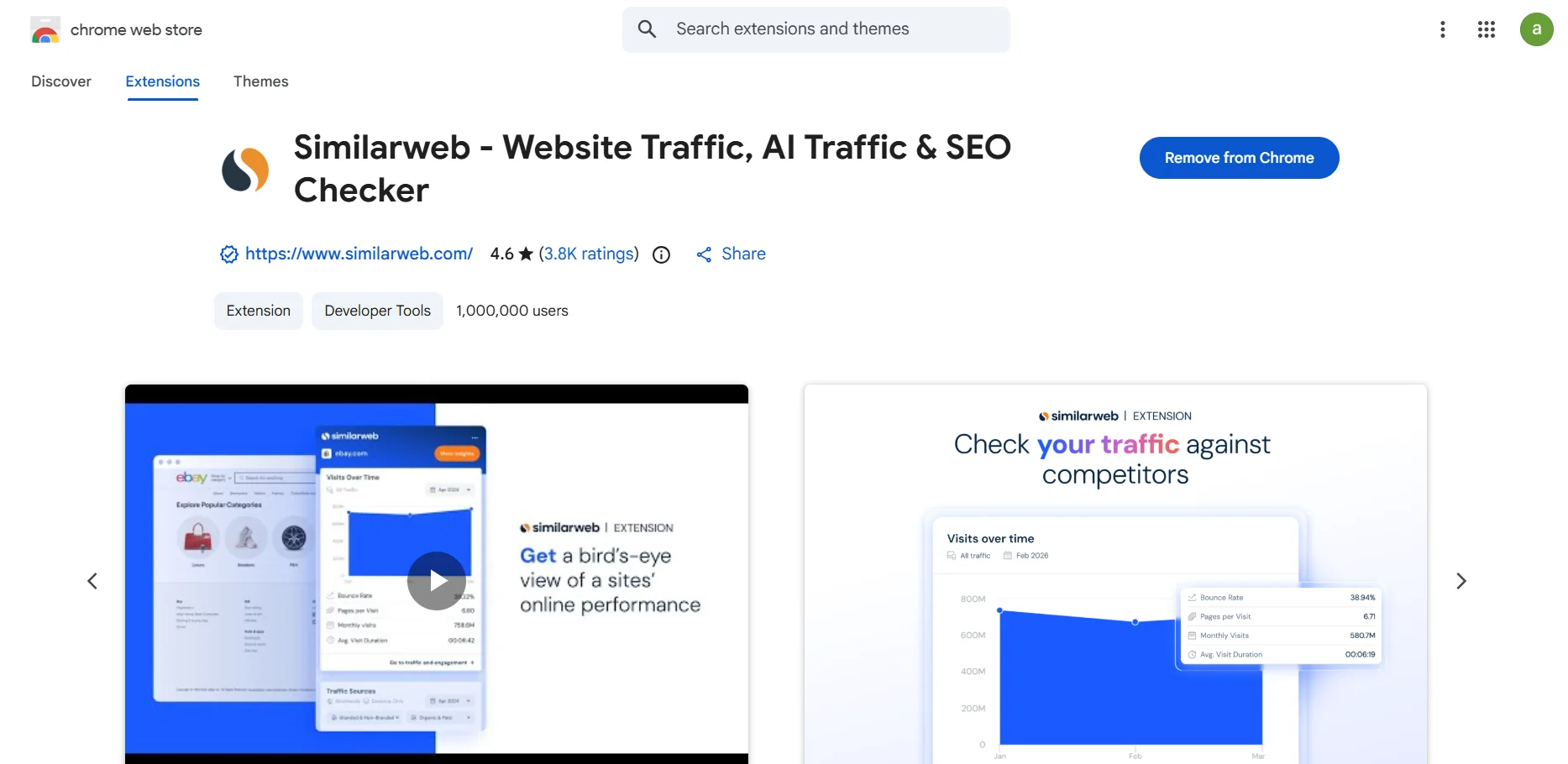 The Similarweb Chrome plugin is a free browser extension for Google Chrome that shows Similarweb's traffic estimates for whatever website you are currently looking at. Think of it as a website traffic checker that lives in your browser toolbar.
Normally you would open Similarweb in a new tab and type a domain in. The Similarweb extension Chrome users install removes that step. You are on a competitor's homepage, you click the icon, and the numbers appear in a panel beside the page.
That is the whole value proposition. This Similarweb site traffic extension serves the same website analytics as the free web tool, delivered without leaving the tab.
For anyone doing SEO research or competitor research at volume, that difference is bigger than it sounds. Checking twenty sites through the website means forty page loads. Through the extension it means twenty clicks.
What Does Similarweb Chrome Extension Show?
Click the icon on any public site and you get roughly this.
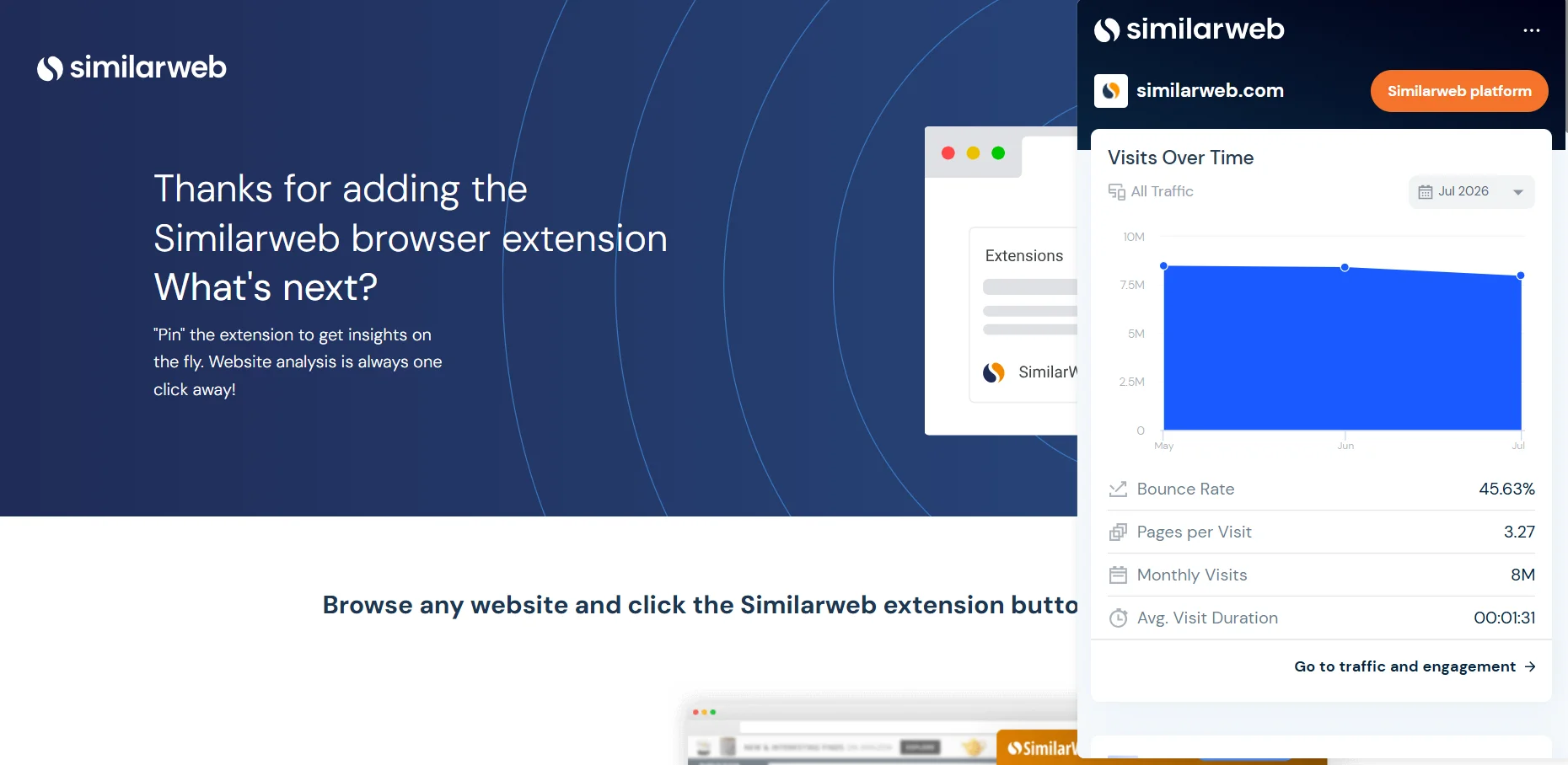
Monthly visits. The Similarweb traffic extension shows an estimated traffic figure, with a trend line over recent months.
What does the Similarweb Chrome extension show first? Start here.
Traffic sources. The traffic channels split across direct traffic, organic search traffic, paid traffic, referral traffic, social traffic and email. This is the most useful panel in the extension and the one I would look at first.
Engagement metrics. Pages per visit, average visit duration and bounce rate.
Website ranking and performance. Global rank, country rank and industry ranking, which together give a quick read on website performance against the category.
Top keywords. The search terms the site appears to draw traffic from.
Geography and audience insights. Which countries the audience sits in, which is the closest the free tier gets to real audience insights.
AI traffic insights. New in 2026, and the reason to update if you installed this years ago. Similarweb's store listing claims it is the first extension to break out traffic arriving from AI chatbots, alongside a Top Prompts view showing how people reach a site through AI tools.
 That last one is genuinely novel. Nobody has a settled method for measuring AI referral traffic yet, so treat it as early rather than authoritative, but no other extension is attempting it.
How to Install Similarweb Chrome Extension, Step by Step
How to install the Similarweb Chrome extension takes five steps and under a minute. How to download the Similarweb Chrome extension is the same process, since installing is the download. There is no separate Similarweb Chrome extension download file, since everything happens through the store.
1. Open the Chrome Web Store listing for Similarweb - Website Traffic, AI Traffic & SEO Checker. Check the publisher says similarweb.com before you click anything, because there are copycat extensions using the name.
2. Click Add to Chrome, then Add extension when the permissions dialogue appears. Read that dialogue rather than clicking through it. I come back to why at the end.
3. Click the puzzle piece icon in your Chrome toolbar and pin Similarweb so the icon stays visible. Skip this and you will forget you installed it.
4. Visit any website and click the icon. The panel opens beside the page.
5. Optionally, sign in with a Similarweb account. This Similarweb traffic checker extension works signed out, but returns less. Signed-out sessions hit limits faster.
That is it. There is no configuration, no API key and nothing to set up.
The Similarweb extension for Chrome is the only build I would rely on. For Firefox users, a version exists but reviews there report it failing with a generic error message for long stretches. The Chrome build is the one that works.
How to Use Similarweb Chrome Extension for Competitor Research
Installing it is easy. How to use the Similarweb Chrome extension well is a different question, and this is where most guides stop.
Compare, do not quote. The extension's absolute numbers are estimates, and they carry real error. What holds up is the relationship between two sites. If a competitor shows three times your traffic, that ratio is more trustworthy than either figure on its own.
Read the channel split before the total. Learning that a rival pulls 70 percent of visits from paid search tells you their cost structure. The total visits number tells you much less.
Check the trend, not the month. Six months of direction is the most reliable thing in the panel.
Use it on sites big enough to measure. Accuracy depends heavily on the size of the site you are looking at, and small sites are largely modelled rather than observed. I went into the evidence properly in my Similarweb review, including what the independent studies actually found.
Build a habit, not a project. The real value is checking a site whenever you happen to land on it, not sitting down to do research. Two weeks of that gives you a feel for your market that no single session does.
Is Similarweb Chrome Extension Free?
Yes, the Similarweb Chrome extension is free. It costs nothing to install or use, with one caveat worth understanding.
The extension itself is free to install and free to use. You can check any public website without paying.
What you get is capped. Signed-out sessions show less, and the free view is the same limited slice as Similarweb's free web tool, which allows a handful of lookups per metric before it asks you to upgrade.
The store listing also points you at a seven-day trial of the full platform, and that trial asks for a card. The extension is not a trial. It stays free. But the funnel from one to the other is short and deliberate.
Why Isn't the Similarweb Extension Showing Data?
Six reasons, in the order they usually apply.
The site is too small. By far the most common cause. Below roughly 5,000 monthly visitors, Similarweb often has nothing to show rather than showing something wrong. Not a bug.
You are not signed in. Signed-out use returns fewer metrics and runs out sooner.
You hit the free limit. The free tier allows a small number of lookups per metric. Once spent, panels come back empty until the limit resets.
The page is not public. Local addresses, internal tools, logged-in dashboards and anything behind auth will return nothing.
Another extension is conflicting. Ad blockers and privacy extensions can block the calls the panel needs. Disable them on one site to test.
The extension needs updating. Given the 2026 rename and feature changes, an old build may simply be broken.
How Accurate Is the Similarweb Website Traffic Extension?
Same answer as the platform it draws from, because it is the same data.
Directionally useful, and unreliable as a precise figure. It performs best on larger sites and degrades sharply on small ones. Independent testing has found it the strongest of the mainstream traffic estimation tools while still showing substantial error in absolute terms.
Use it to rank competitors against each other. Do not put its numbers in a client deck as facts.
The Part Nobody Mentions
Now the thing I would want to know before installing, and which is missing from every guide I read.
Similarweb's traffic estimates are built partly from clickstream data. Clickstream data comes from panels of real users whose browsing is observed, and browser extensions are one of the standard ways that kind of data gets collected across this industry.
The Chrome Web Store listing requires permissions including access to your browser tabs. Third party extension analysis flags that as a meaningful privacy consideration, since tab access can reveal browsing habits. Reviews of the Firefox version raise the same objection in plainer language.
I am not accusing Similarweb of anything hidden. The permissions are disclosed at install, the privacy policy exists, and the company is publicly listed and audited. This is how the category works rather than a scandal.
But the shape of the trade is worth naming out loud. You are installing a tool that estimates other people's browsing, and the industry that estimates browsing is largely funded by observing browsers.
That is a completely reasonable deal for a lot of people. Free tool, useful data, disclosed permissions. It is a worse deal if you browse client systems, internal tools or anything under NDA in the same profile.
My own approach would be to run it in a separate Chrome profile used only for competitor research. You get the tool, and your day-to-day browsing stays out of it. That takes two minutes to set up and costs nothing.
Frequently Asked Questions
How does Similarweb Chrome extension work?
A free Similarweb extension tool that displays traffic estimates, traffic sources, engagement metrics and rankings for whatever site you are viewing. How does the Similarweb Chrome extension work? It reads the domain in your active tab and pulls Similarweb's stored estimate for it. That is the whole mechanism.
How to download Similarweb Chrome extension?
How to add Similarweb extension to Chrome: open the Chrome Web Store listing, click Add to Chrome, approve the permissions, then pin the icon from the puzzle piece menu. There is no separate download step. Confirm the publisher is similarweb.com first.
Is the Similarweb Chrome extension free to use?
Yes. Installation and use cost nothing, though the free view is limited and signing in returns more data. The seven-day trial promoted alongside it is for the full platform, not the extension.
What does the Similarweb Chrome extension show?
Monthly visits, traffic sources by channel, engagement metrics, global and industry ranking, top keywords, audience geography and, since 2026, AI chatbot traffic.
How do I check website traffic with the Similarweb extension?
How to check website traffic with the extension: open the site, click the icon, read the panel. It works on any public site with enough measured traffic to estimate. Private, internal and very small sites return nothing.
Does the Similarweb extension show traffic sources?
Yes, split across direct, organic search, paid, referral, social and email. It is the most useful panel in the tool.
Is the Similarweb Chrome extension accurate?
Reasonably, on large sites, and poorly on small ones. Treat comparisons between sites as reliable and individual figures as estimates.
Can I use it for competitor analysis?
That is what it is for. The most effective method is comparing several competitors on channel mix and trend rather than reading any single traffic number.
Why is the Similarweb extension not working?
Usually the site is too small to have data, you are signed out, or you have used up the free lookups. Extension conflicts and outdated builds account for most of the rest.
Is there a Similarweb extension for Firefox?
There is, but user reviews report it failing frequently. Chrome is the supported experience.
Worth Knowing Before You Click Add
The Similarweb Chrome extension is a good free tool and I would install it, with two conditions.
Read the permissions dialogue rather than dismissing it, and consider giving it its own browser profile.
Everything else about it is straightforward. It is fast, it is genuinely free, and for digital marketing teams doing competitor research regularly it saves more time than any other free marketing intelligence extension in this category.
Details in this article come from the extension's Chrome Web Store listing and third party extension analysis, checked in August 2026. Similarweb renamed and updated this extension during 2026, so older tutorials describe an interface that no longer matches.